Timeline: 12 Weeks
Role: UX Researcher, Product Designer
Team: 4 UX Researchers/Designers
Tools: Figma, Figjam, Tobii
What is Gutenberg Technology?
Gutenberg Technologies (GT) is a company that offers a content management platform designed for creating and distributing educational and professional content. Their platform is used by publishers and corporations to efficiently produce learning materials for both print and digital formats from a single workflow. Using AI-powered solutions, GT helps transform static documents, like PDFs, into interactive, multi-format courses.

Evaluating “Edit with AI”
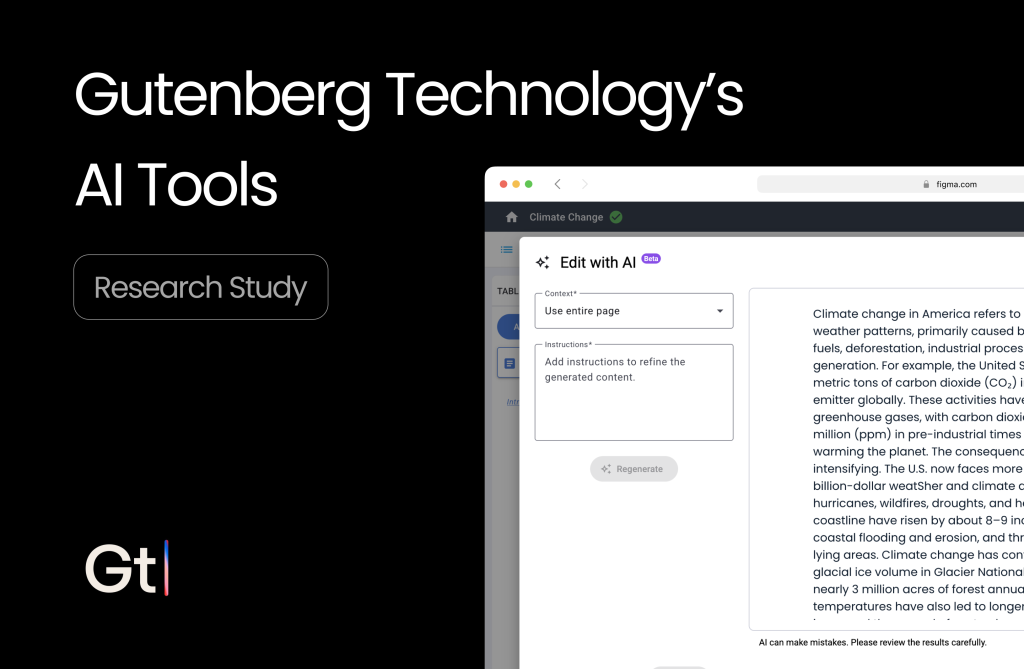
Our goal is to uncover any pain points regarding GT’s new powerful AI tool, “Edit with AI.” This especially includes pain points about usability and especially discoverability. As they haven’t done any testing outside of internal, this provides them better direction on how to improve the product.
💡 Research Questions

• What challenges, errors, or frustrations do users face while using the "Edit with AI" feature?
• How easily and successfully can users complete a task (e.g., rewriting or summarizing content) using the feature on first try?
• How quickly and easily can first-time users locate the "Edit with AI" tool?
• How do users interpret the feature name, icon, and imagery — and does this match what they expect the feature to do?
My Contribution
My contributions made a big impact on the direction and outcome of the research study. I led the direction of many of the research artifacts: research plan, problem list, client communication, and the final client slidedeck. I assisted team members with participant recruitment along with the recruitment and conducting of my own studies. I was present for three of the eight individual studies and synthesized the data to design high-fidelity mockups. One of the most important contributions I made was understanding how to properly utilize Tobii to create heatmaps and gaze replays for our client.
Methodology
My team and I utilized several different research methods for data collection and data synthesis. All of these were crucial for presenting quality insights that are backed by evidence:
Tobii (Eye-tracking)
Tobii is the world’s leader in eye-tracking software and hardware. For GT, we utilized Tobii to gather crucial quantitative data like heatmaps and gaze replays. As this was the first time I had heard of this product, I’ve never used it so one of the biggest challenges in this project is figuring out how to utilize Tobii to give me the data I would need.

Retrospective Think-Aloud (RTA)
A retrospective think-aloud is a research method where users perform tasks silently and then re-watch a video recording of their actions and verbalize their thoughts, feelings, and reasoning. The combination of Tobii eye-tracking data and retrospective think-alouds served as the linchpin of our research, allowing us to uncover critical discoverability and usability issues. This came in the form of both quantitative and qualitative data.
For each participant, we provided them with three tasks:
1. Edit a body paragraph with the "Edit with AI" tool.
2. Generate a quiz utilizing the "Generate with AI" tool.
3. Generate a learning activity utilizing the "Generate with AI" tool.
System Usability Scale (SUS)
The system usability scale (SUS) is a standardized questionnaire used to measure the perceived usability of a product, in this case, GT’s AI tools. It provides a score from 0 to 100, where higher scores indicate better usability.
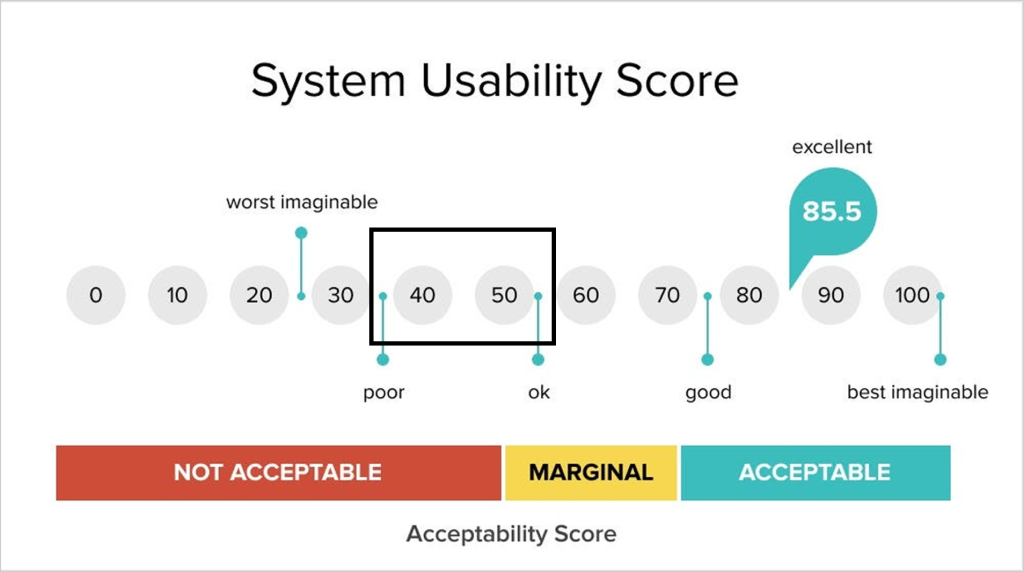
SUS Score: 46.3 / 100
After each eye-tracking study and RTA, we ask our participants to fill out the SUS survey and this is the score after synthesizing it. The score is fairly low, which indicates the need for improvements.
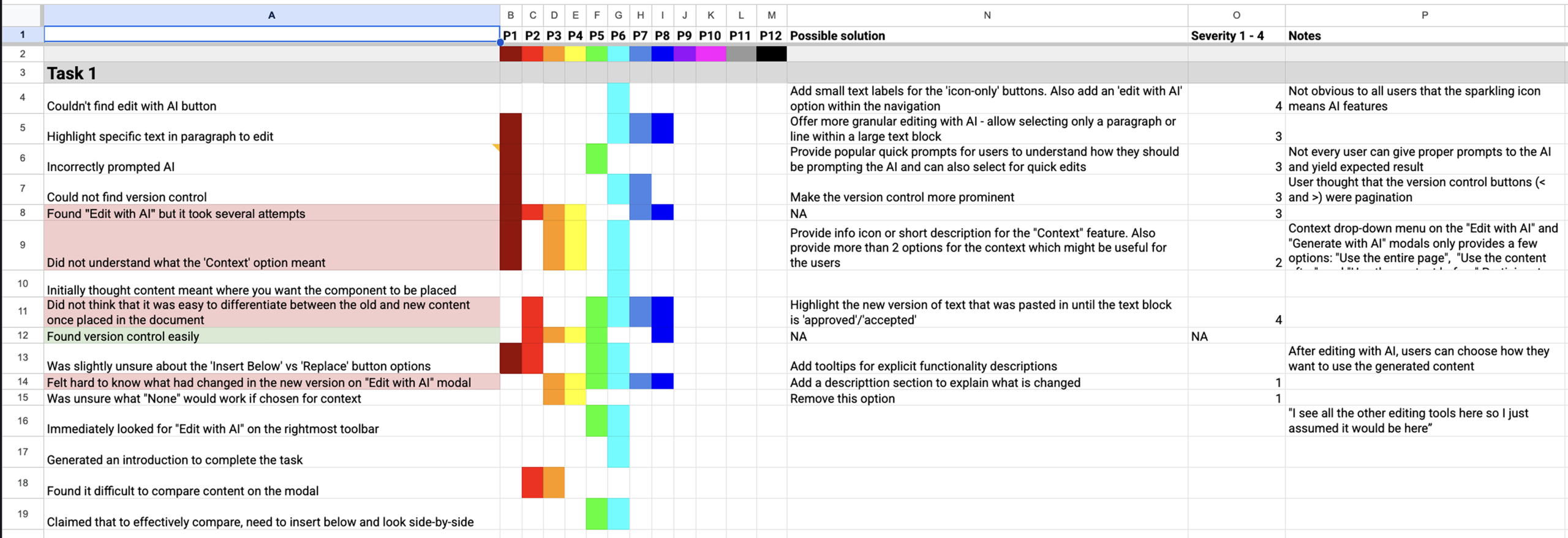
Rainbow Spreadsheet
To make sense of the eye-tracking data, we relied on a rainbow spreadsheet. This allowed us to bucket recurring patterns by task and color-code them by participant, turning raw observations into a clear map of usability and discoverability problems.
Recruitment
To ensure our data accurately represented GT’s target audience, we utilized Dscout and established the following recruitment criteria:
- Participants: Eight educational content editors/creators
- AI knowledge: Beginner
- Experience with digital learning content: Required

Finding 1: The “Edit with AI” button has low discoverability.

Discovery time is too high
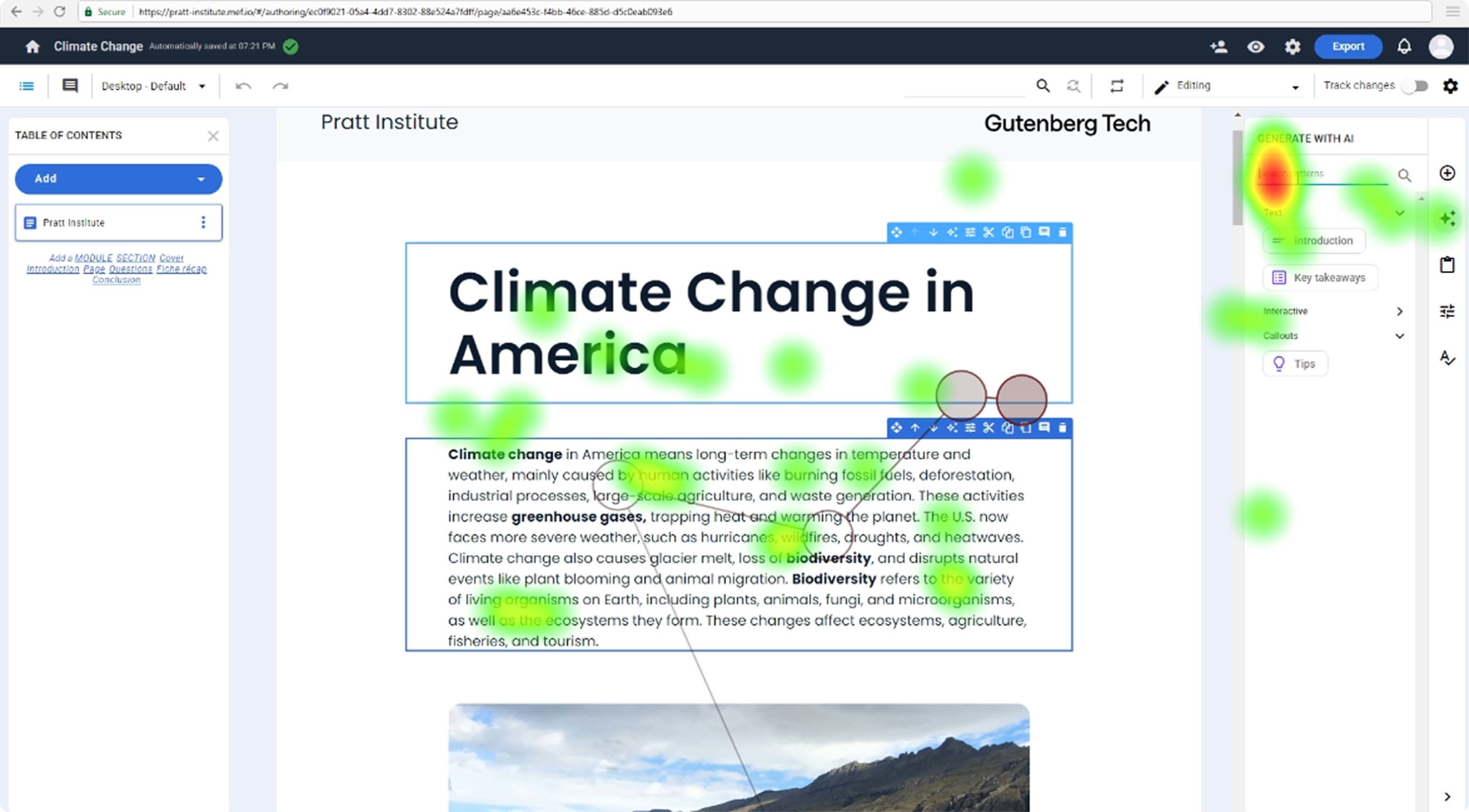
Utilizing Tobii, we found that our participants took an average time of 35s to find the “Edit with AI” button. As users are generally scanning the screen, this average time is too high when it comes to discoverability.
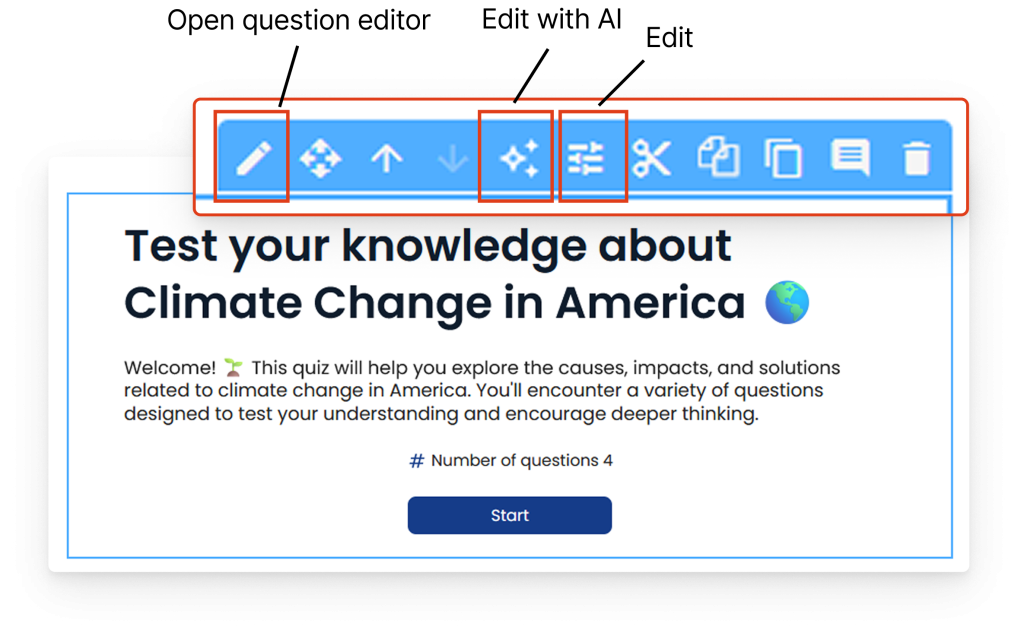
Too many edit buttons
Participants are prone to skipping over the “Edit with AI” button while scanning the page because they don’t know which one to focus on.
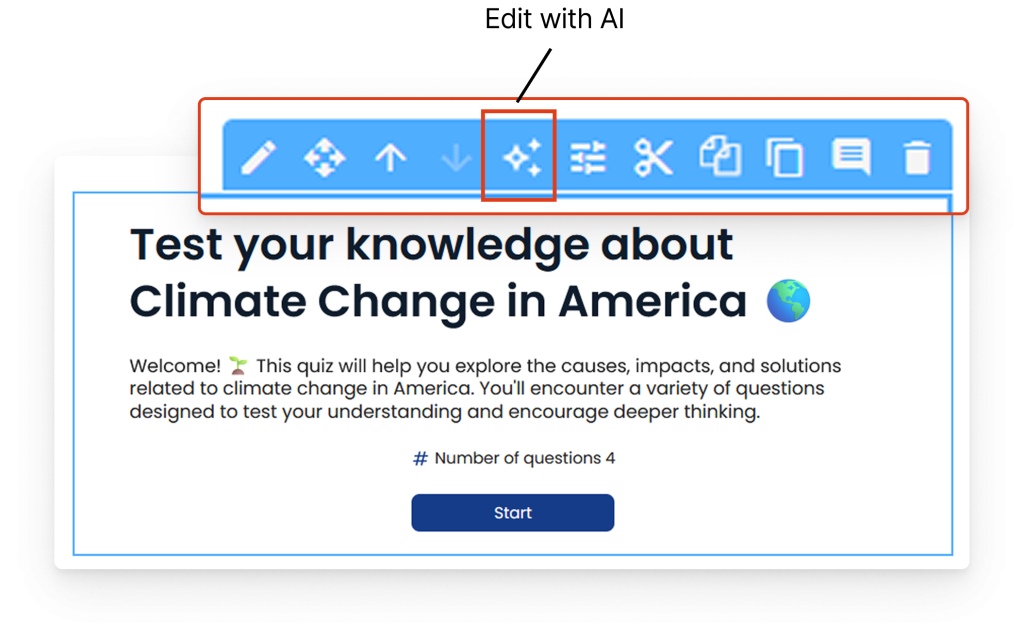
Edit with AI icon not informative enough
Participants are prone to skipping over the “Edit with AI” button while scanning the page because the icon doesn’t indicate what the button actually does.
“I wouldn’t know it was the tool unless I hovered over it”
Participant 6
Users aren’t looking in the right area
As shown in the heatmap, like many others, participant 5 didn’t fixate on the “Edit with AI” button at all when tasked to find it.
Recommendation: Streamline the editing flow by consolidating the editing tools into one menu and adjusting its position and icon to align with our users’ mental models.
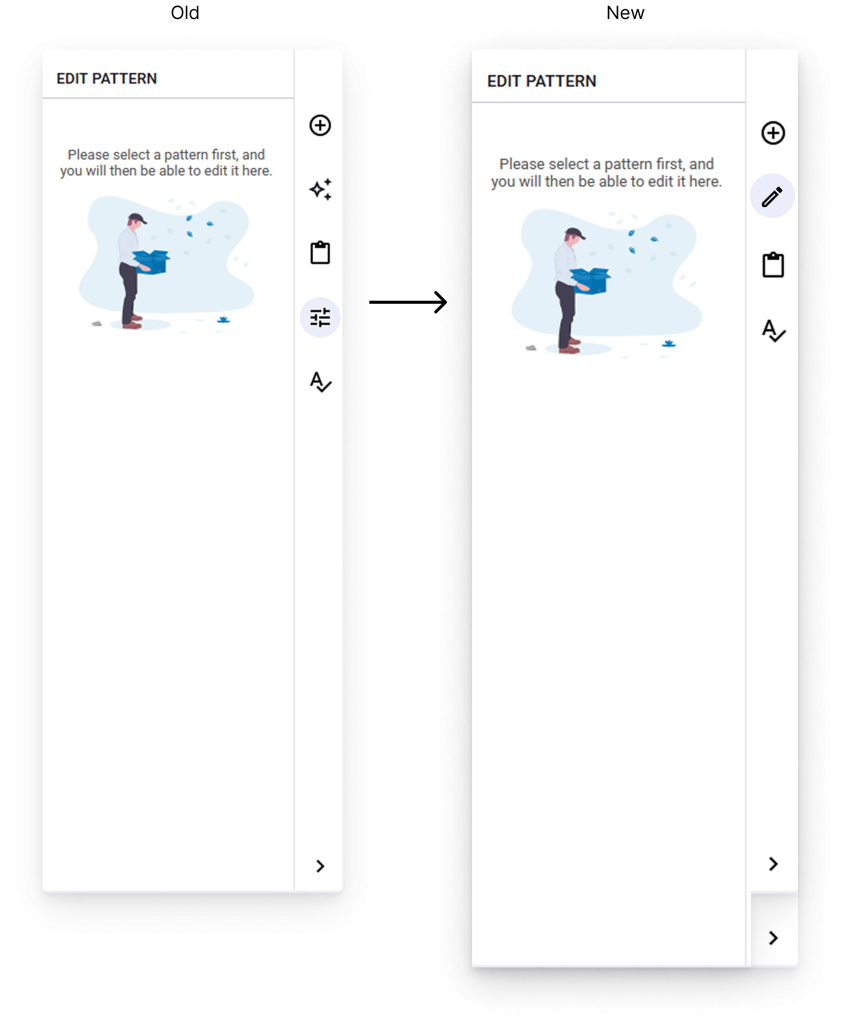
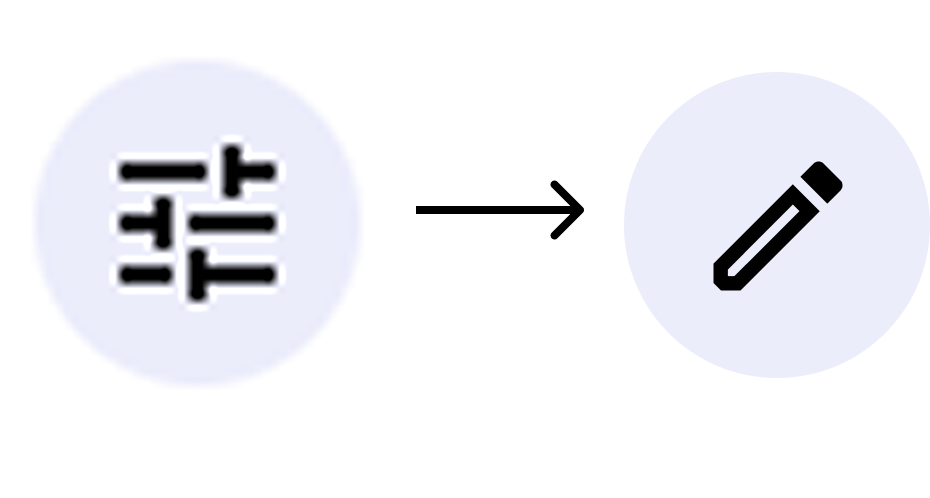
Changed “Edit” icon to a pencil
Participants mentioned that when they think of an “Edit” button, they think of a pencil so, we adjusted to match their mental model and make it uniform across the CMS.
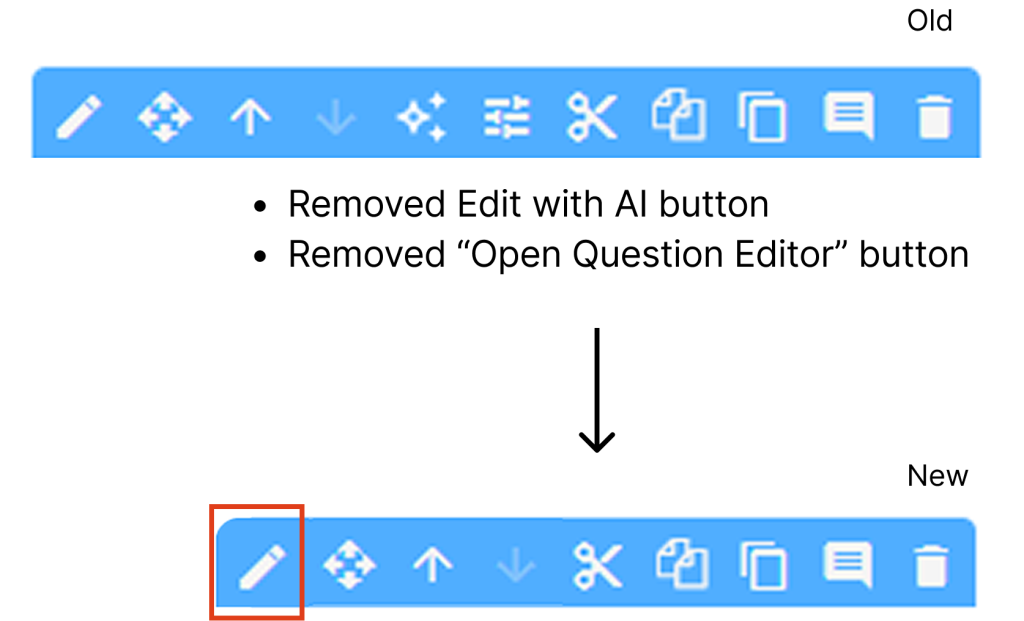
Removed excess “Edit” buttons
As one of the core issues for discoverability is button clutter, we’ve removed excess “Edit” buttons to simplify the user interface and improve the experience.
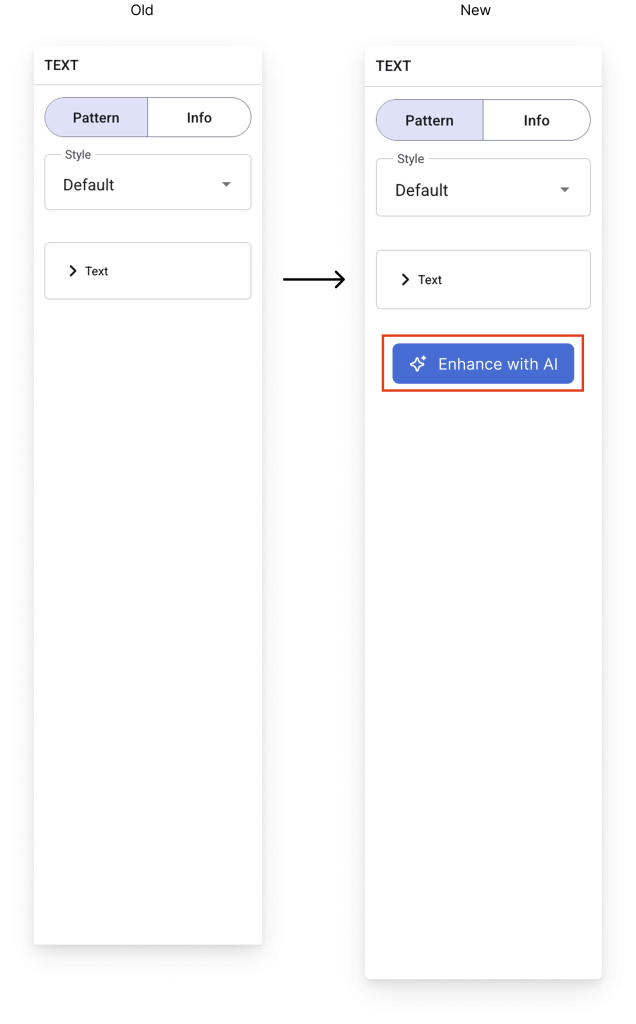
Changed “Edit with AI” to “Enhance with AI”
Adjusting the copy of the button brings forth the value of the feature. This provides users a clear, motivating reason to click on the button even if they are unfamiliar with artificial intelligence.
Moved “Edit with AI” button inside the Edit menu
Moving the button will increase the likelihood of them being discovered as there are less touchpoints. This lets user find all of the edit tools in one single menu.
Finding 2: Participants had difficulty distinguishing the AI generated content and the original content.
Once content is edited with GT’s “Edit with AI” tool, there are no indicators of what was added/modified, leaving users confused. For example:
Original Version
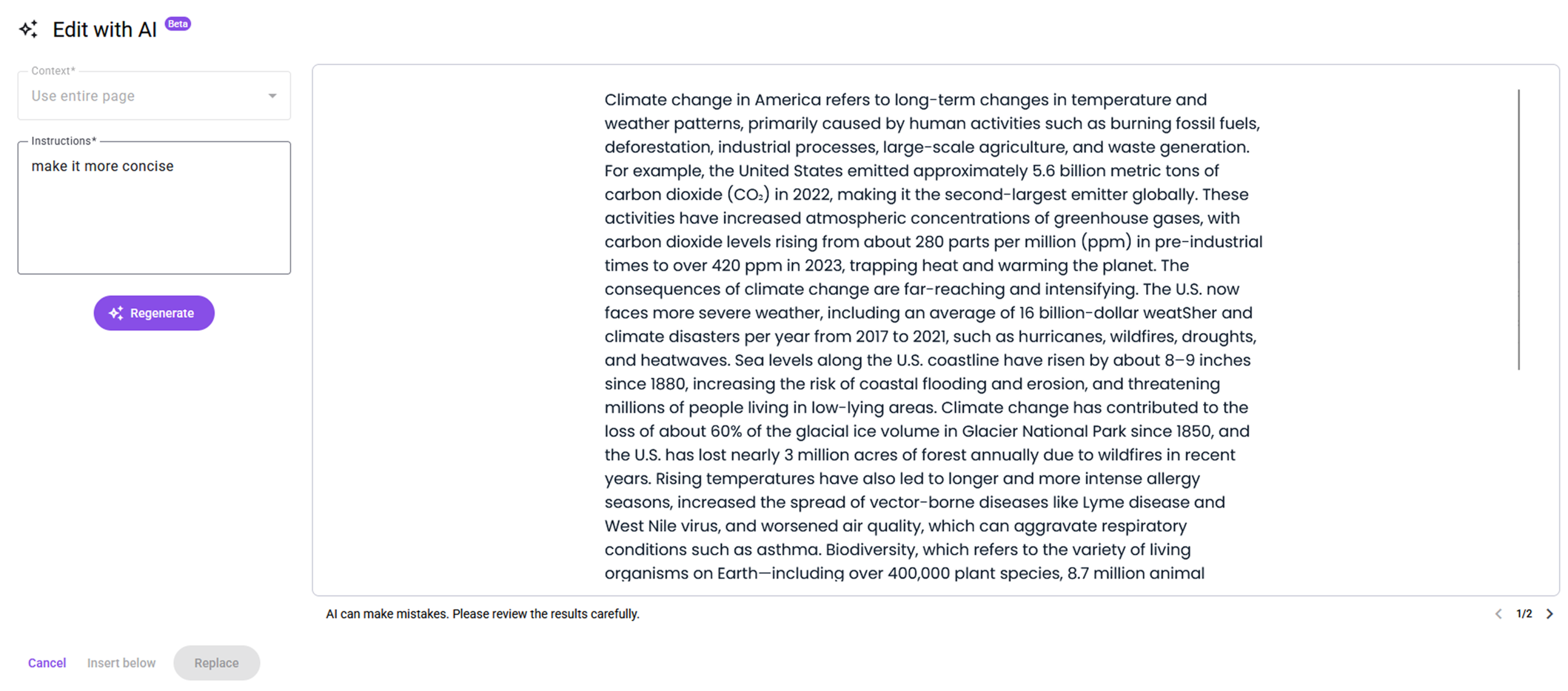
AI-Modified Version
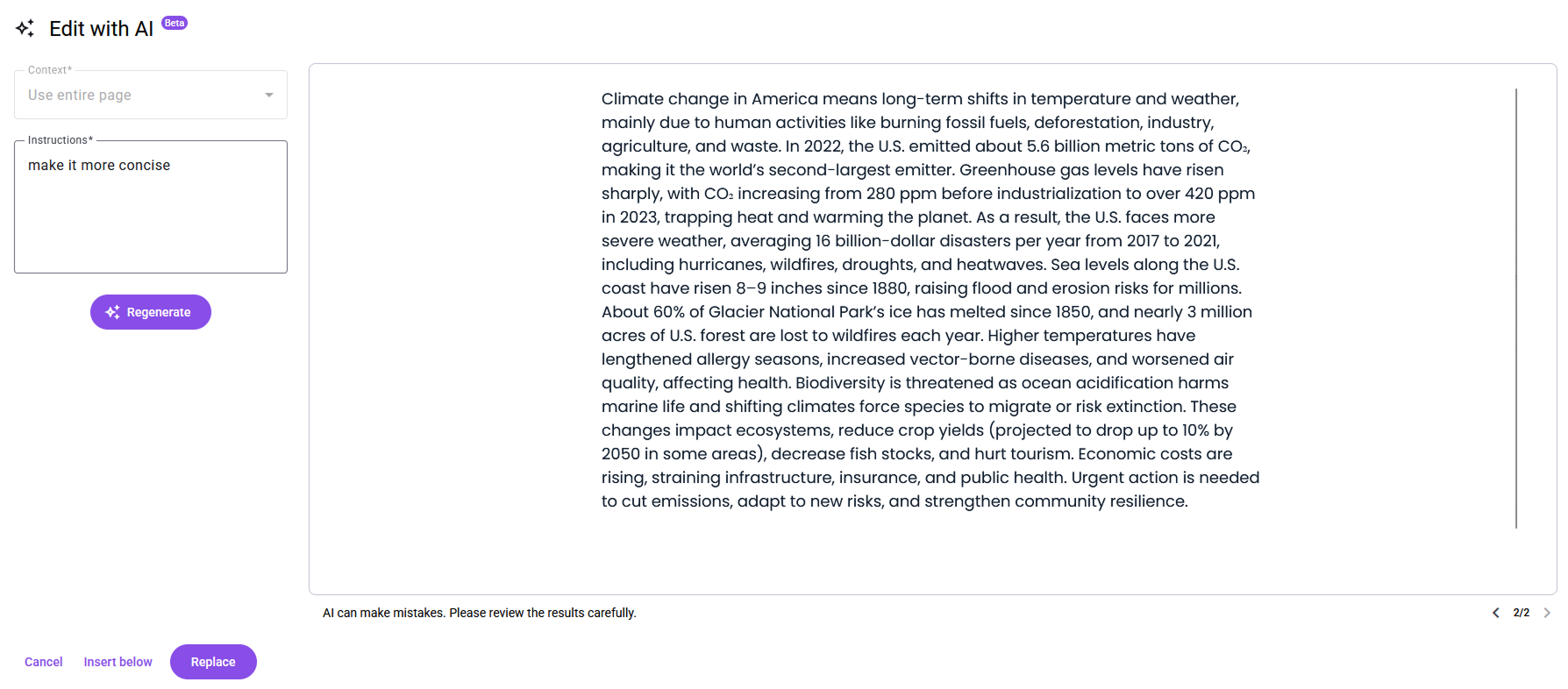

6/8 participants expressed confusion
Through our rainbow sheet, we found that six out of our eight participants expressed difficulty differentiating between AI generated content and the original content.
“It is very mentally taxing to read through both things to try and see what’s changed.”
Participant 7
“I had no idea where AI edited anything so I had to keep going back and forth”
Participant 8
“I wish I could easily see what nuances were added, what nuances were deleted, what nuances were updated”
Participant 2
Recommendation: Provide an intuitive way to compare original and AI-modified version
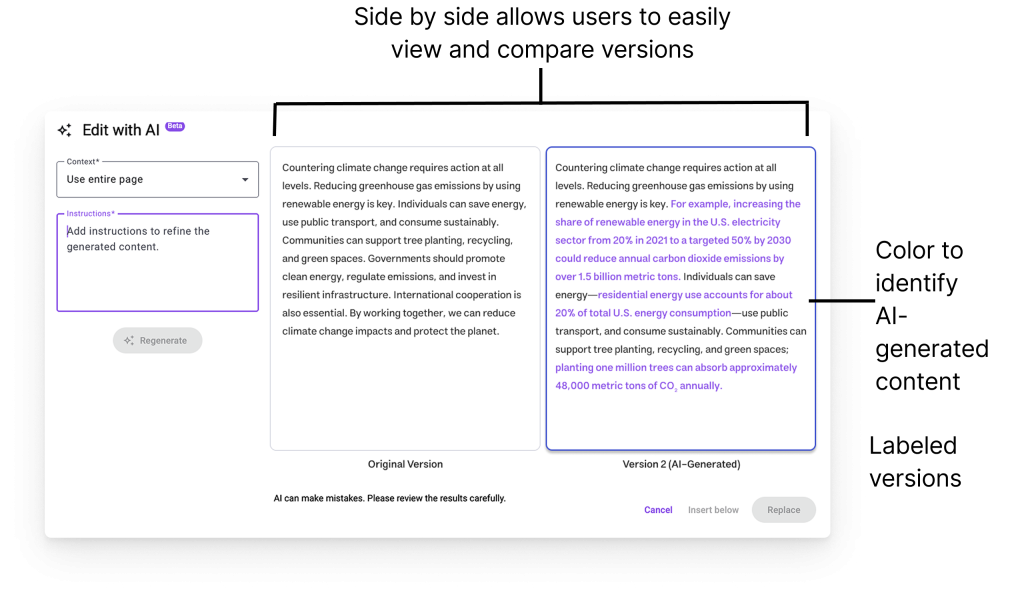
Provide side-by-side labeled versions of original text and AI-generated version with color coded identification of what was changed or added.
To reduce the mental strain of flipping back and forth to read and spot the differences in the AI generated content, we created a side-by-side view to easily compare and color coded the changed content to easily identify edits made with AI.
Insight 3: There is unclear terminology that led to frustration and confusion.
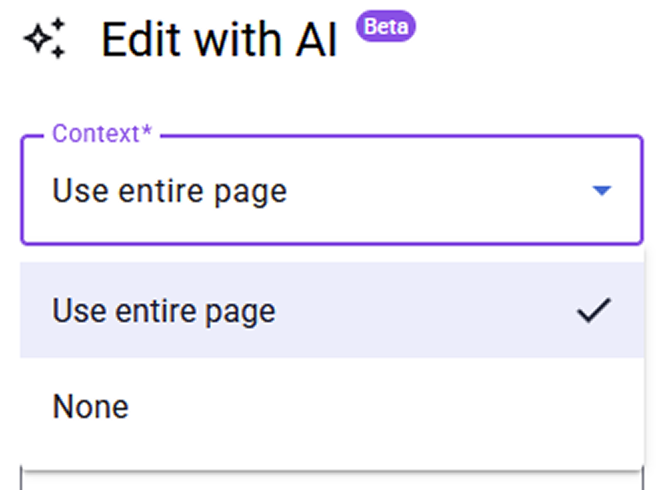
Within the AI tools, there are several instances where our participants expressed confusion. One of the main instances of this happening is when they try to utilize the “Context” dropdown.
💡 What is this "Context" dropdown's purpose?

In AI editing, context refers to all the relevant background information provided to the AI model to ensure its edits are accurate and relevant. GT allows users to utilize the entire page as context or to not provide any context at all. As our target audience were people who had limited knowledge of AI, this dropdown caused some confusion.
“I didn’t know how context worked, and what would happen if I chose ‘None.’ ”
Participant 3
“I’m not familiar with some of the terminology of these products.”
Participant 7
Recommendation: Simplify jargon, clarify technical options, and enhance action clarity with visual context.
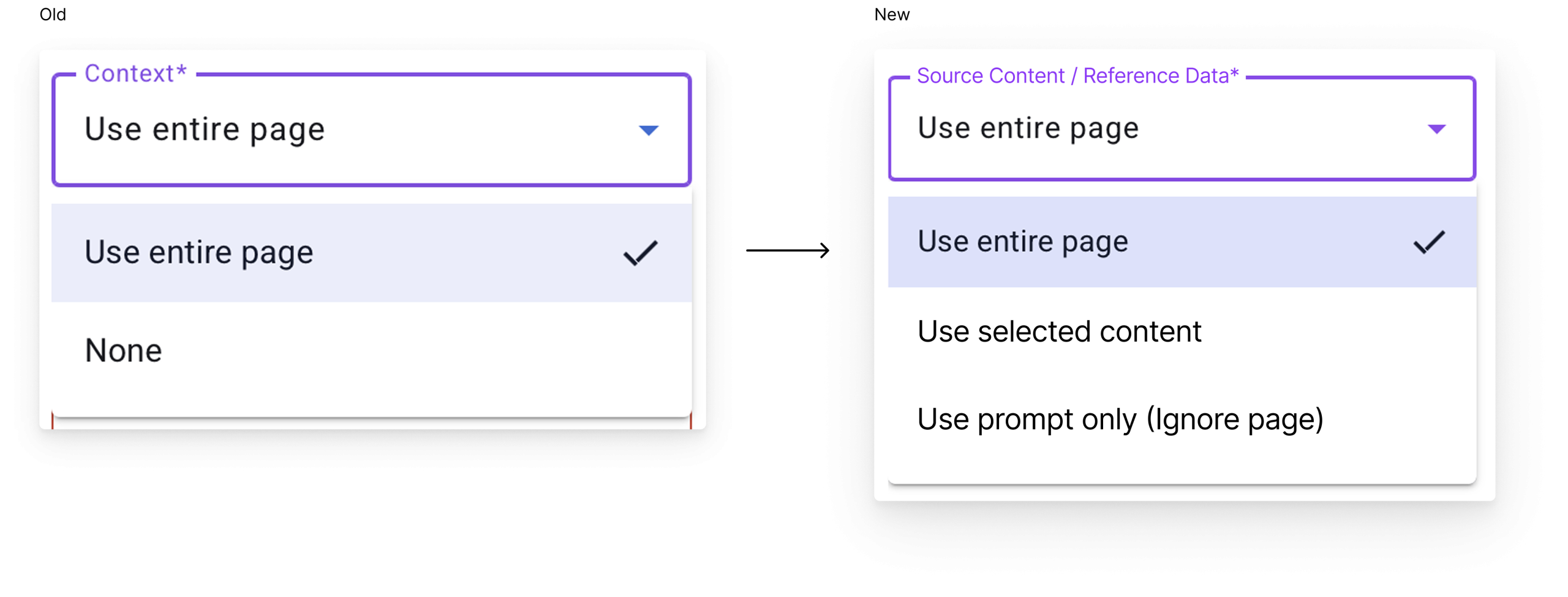
Use plain language for jargon
Adjusting the copy for the “Content” dropdown ensures that people are using it to its fullest extent. This makes it easier for everyone to use, regardless of their AI knowledge.
Research Impact
Our research contributed a lot to the direction that Gutenberg Technology wants to take in regards to their AI tools. We received positive feedback from everyone during our presentation and got verbal confirmation that they would iterate on their designs with our research and recommendations in mind.
“Gold feedback, gold information”
GT Stakeholders
“We’re going to make that a priority next year and your insights are going to help”
GT Stakeholders
Learnings
One of the most important things I’ve learned during my time working with Gutenberg Technology is the ability to adapt. There were several roadblocks during the project that could’ve stopped my team and I from providing our client great work but we were able to adapt on the spot. Whether it be our changing scope or Tobii’s advanced interface, we were able to learn fast and come out with a great project.
Next Steps
Once designs are implemented and engineers have developed it, the product development life cycle starts again. The next steps would be to conduct research on the new designs and ensure that there aren’t any new pain points.
We’ve learned so much about how to have proper communications with stakeholders and utilizing Tobii for amazing eye-tracking data. Thank you to Greg and Gutenberg Technology for giving us the opportunity to work with them!