Background
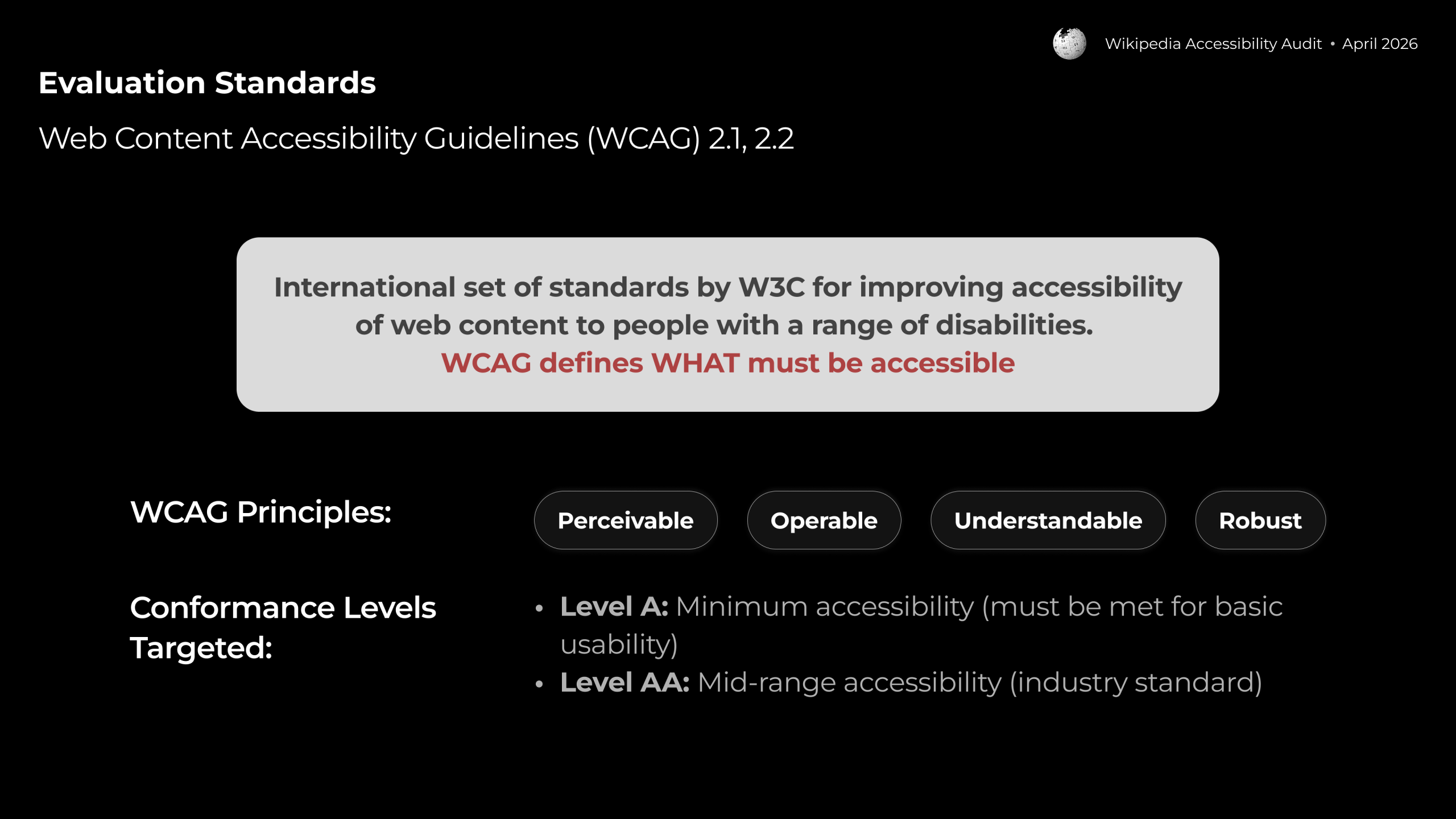
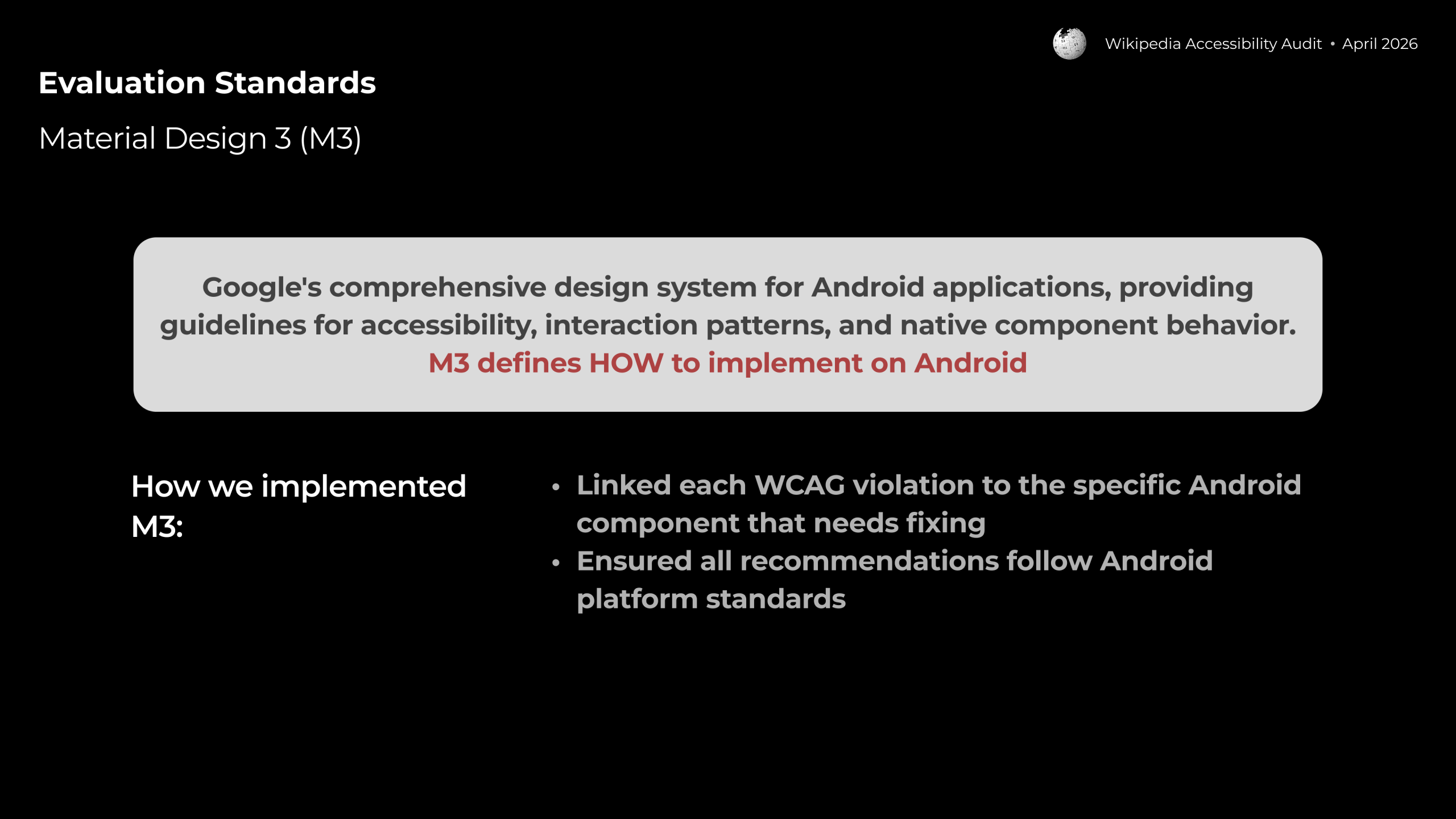
Wikipedia is one of the world’s most widely used knowledge resources, yet its Android app contains significant barriers for users with disabilities. A team from INFO-606-02 Digital Accessibility partnered with Wikimedia to conduct a structured accessibility audit of the app’s reading and search experience, evaluating it against WCAG 2.1/2.2 standards and Google’s Material Design 3 (M3) guidelines.
The Problem
For users with visual, motor, cognitive, or hearing disabilities, the Wikipedia Android app presents compounding barriers. The guiding question was:
How might we improve the Wikipedia Android app’s reading and search experience to be fully accessible for users with disabilities while meeting WCAG 2.1/2.2 compliance standards?
Who It Affects
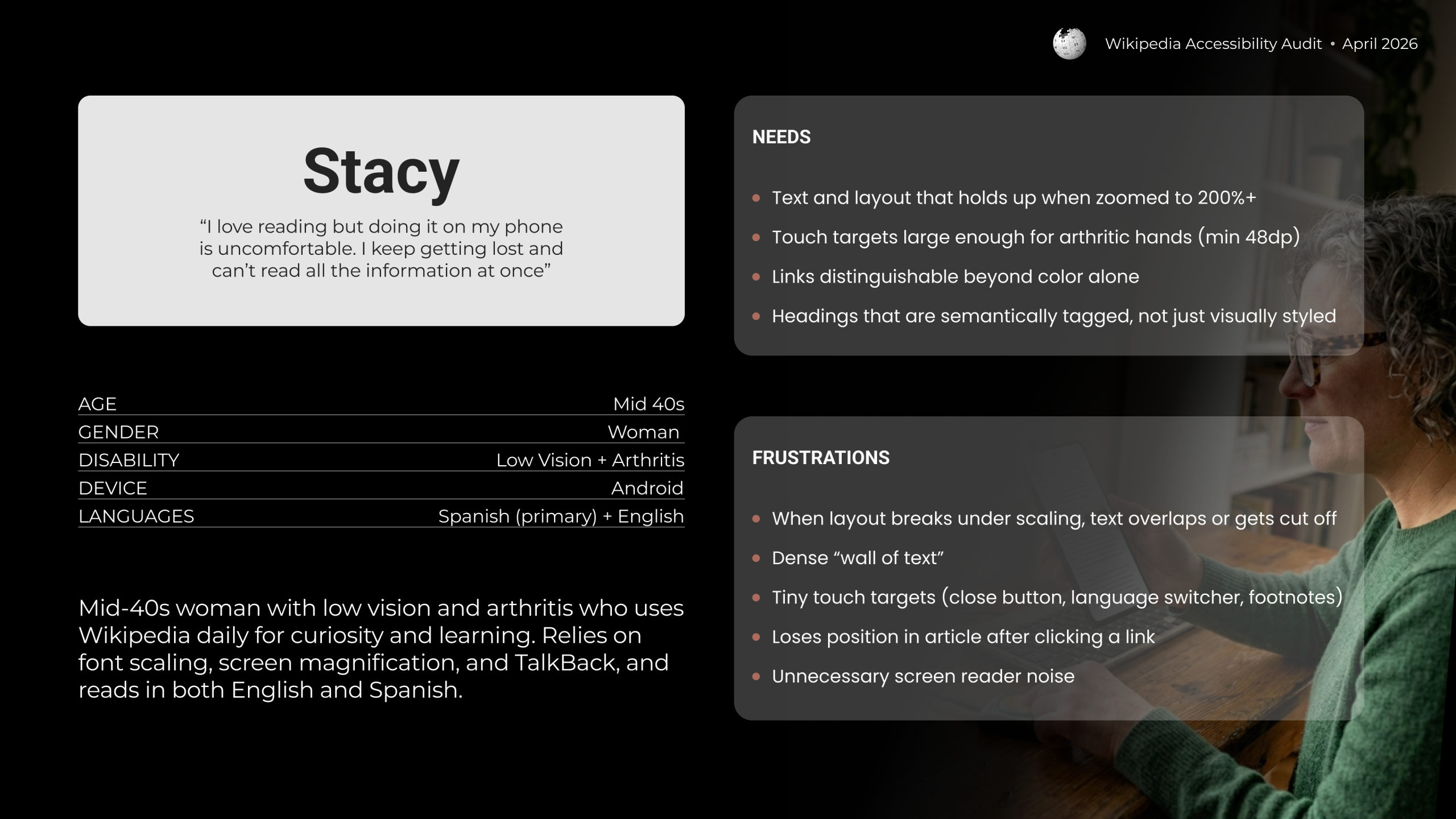
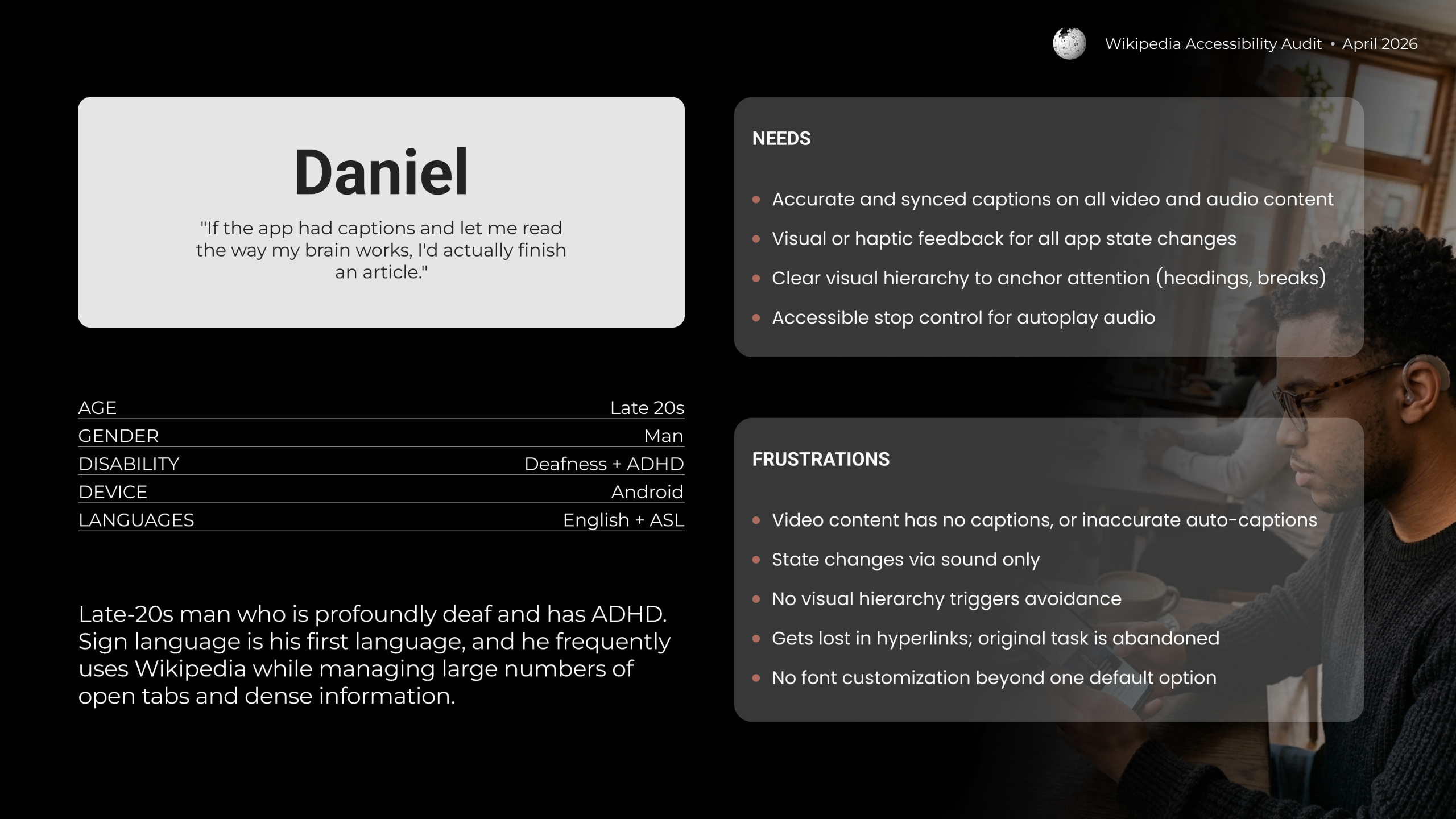
The audit used two composite personas to ground findings in real user needs:
What Was Found
The audit evaluated criteria across 9 feature areas and identified 36 total issues. Of those, 76% (28 issues) were Tier 1 — critical WCAG Level A violations that completely block access to features. The remaining 24% (8 issues) were Tier 2, requiring workarounds.
What worked: Visual contrast met the 4.5:1 minimum in both light and dark mode, and article heading hierarchy (H1–H4) was correctly announced by TalkBack.
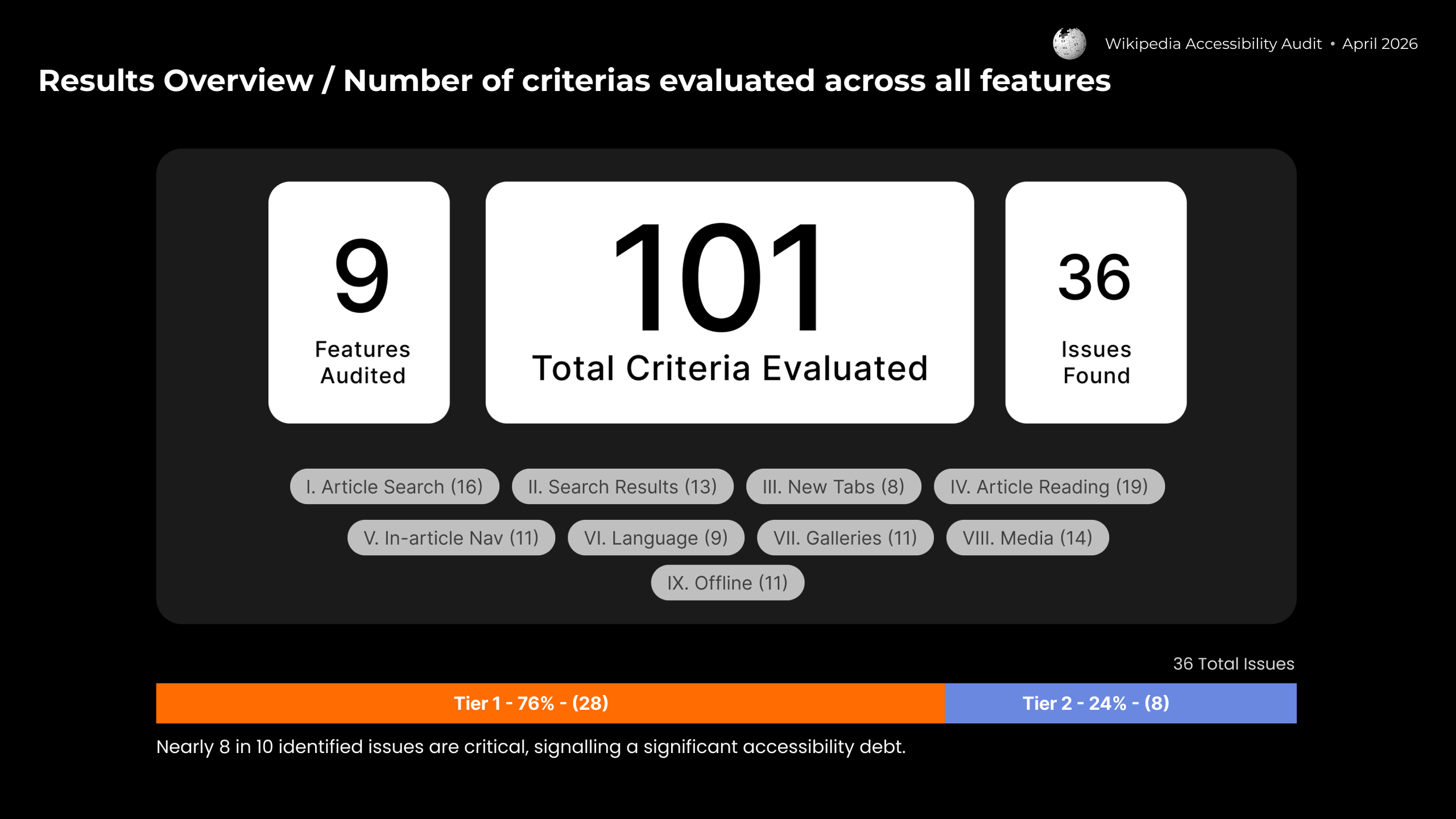
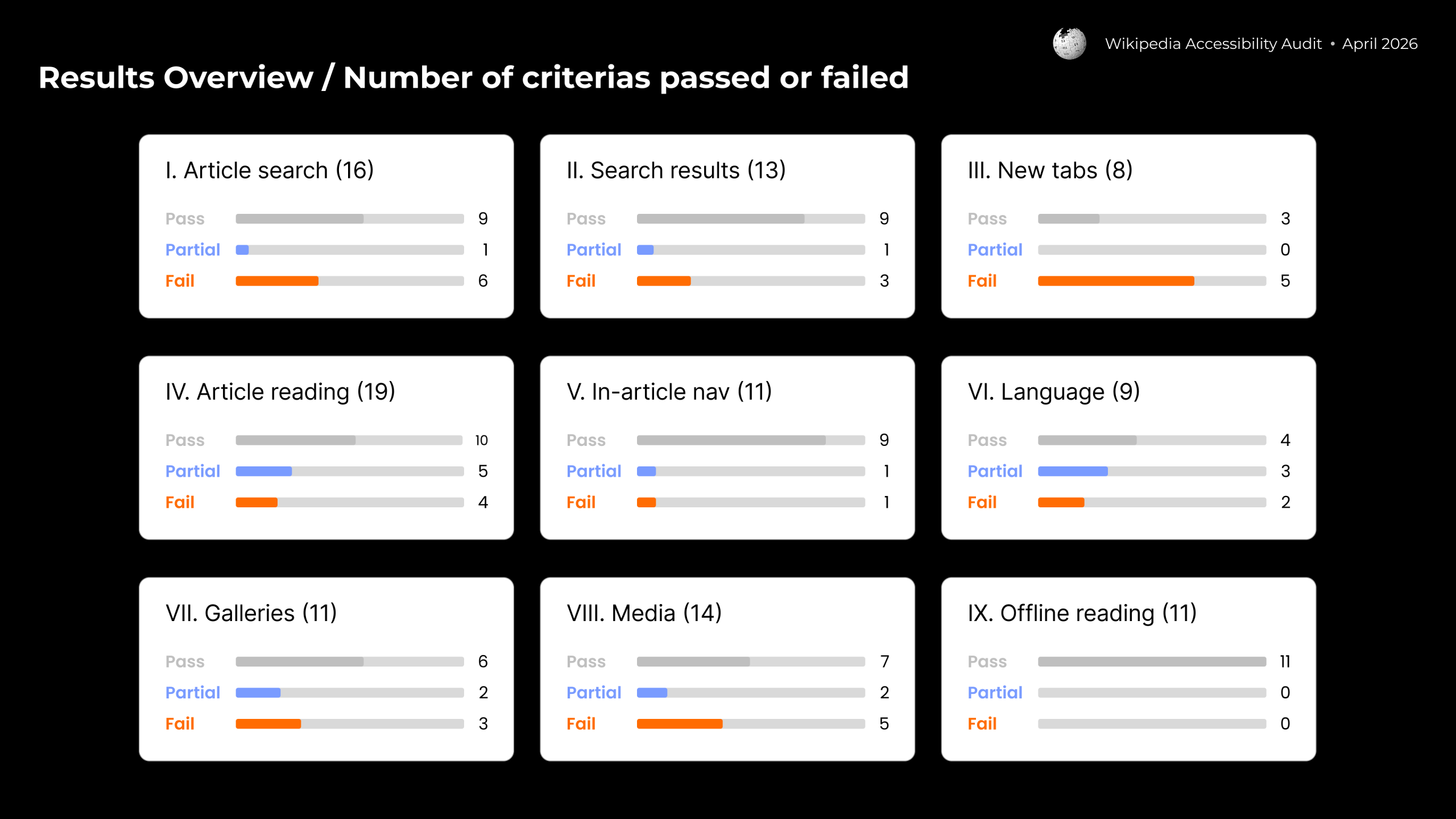
We identified 26 Tier 1 violations across the Reading & Search experience.
Finding #1: Inaccessible images and videos
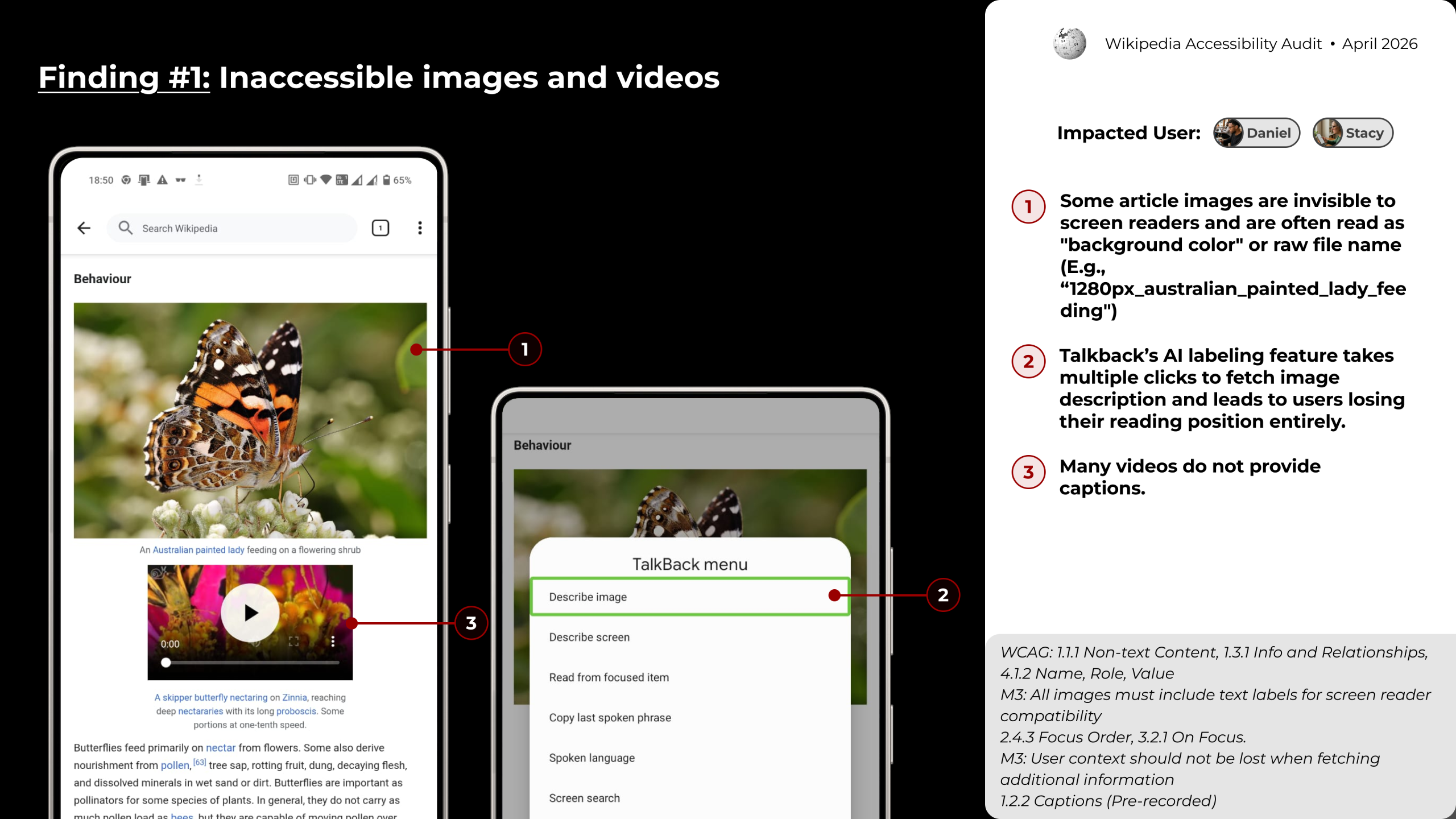
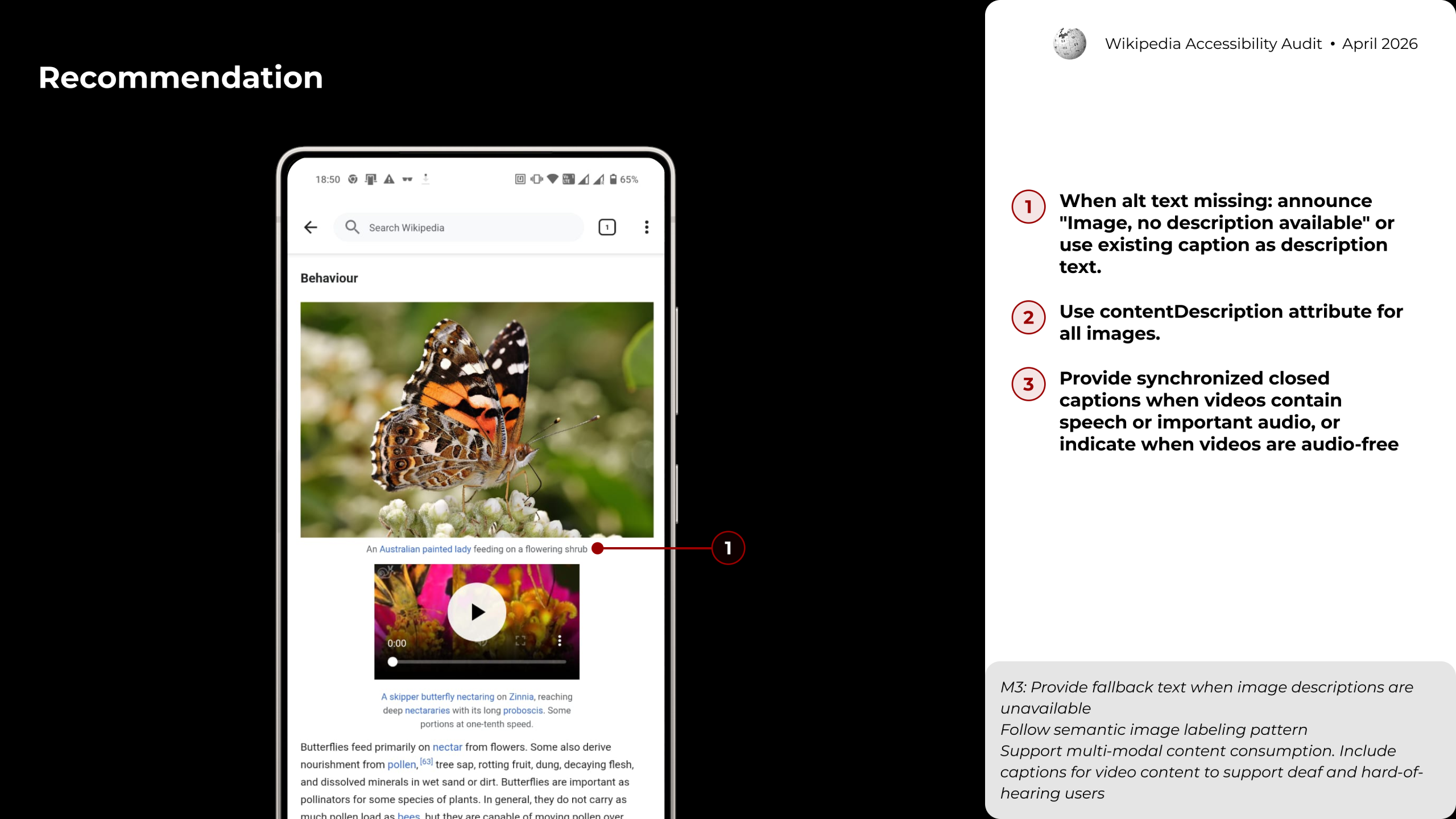
Article images are effectively invisible to screen readers. TalkBack either skips them entirely or reads out raw filenames, like, 1280px_australian_painted_lady_feeding instead of meaningful descriptions. While TalkBack does offer an AI labeling feature, fetching a description requires multiple extra steps that cause users to lose their place in the article entirely. Videos compound the problem: most lack synchronized captions, leaving deaf users with no access to spoken content. The fix is straightforward: add contentDescription to all images, fall back to “Image, no description available” when alt text is absent, and require captions on any video with speech or significant audio. (WCAG 1.1.1, 1.2.2)
Finding #2: Broken tab management experience
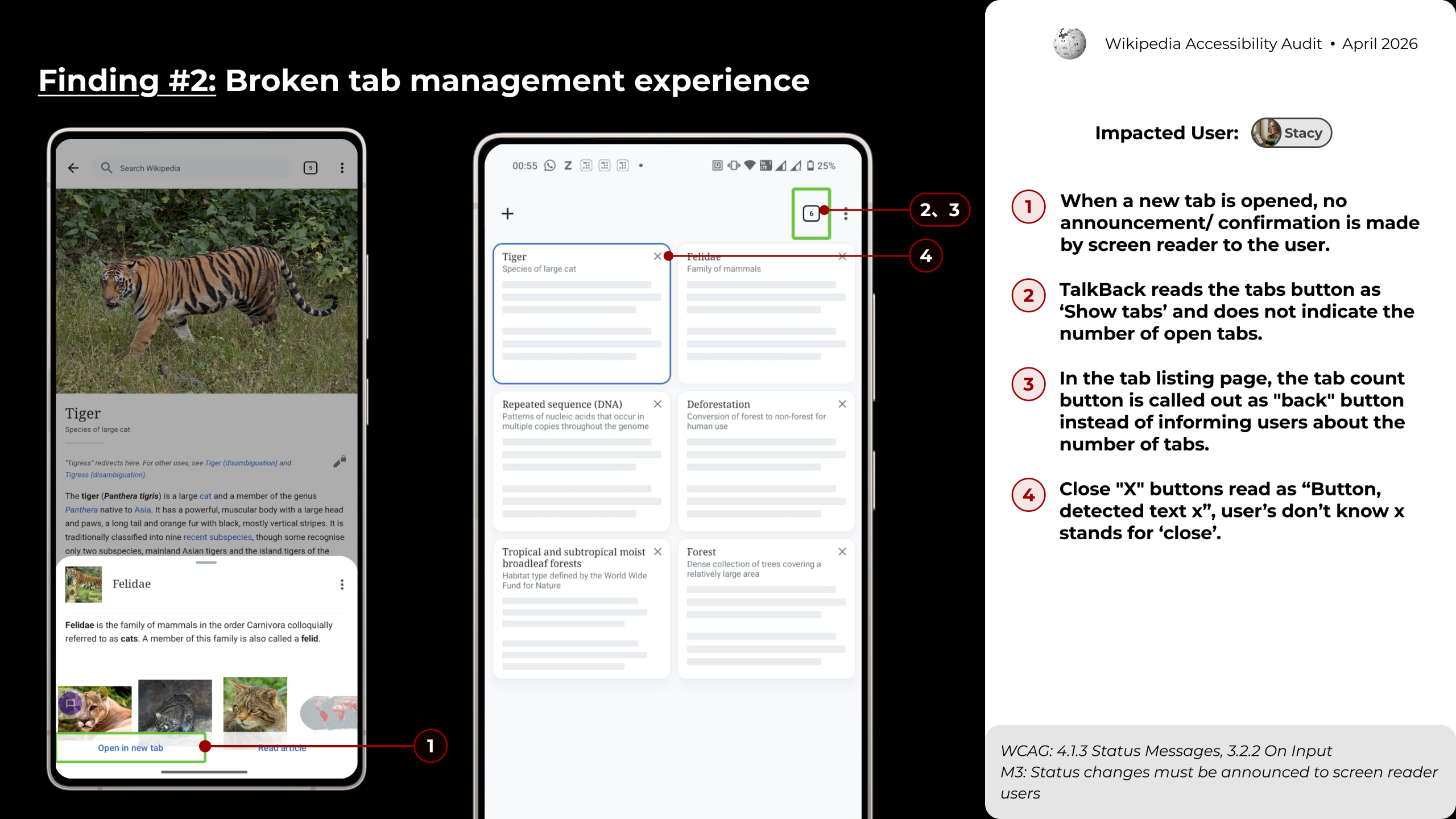
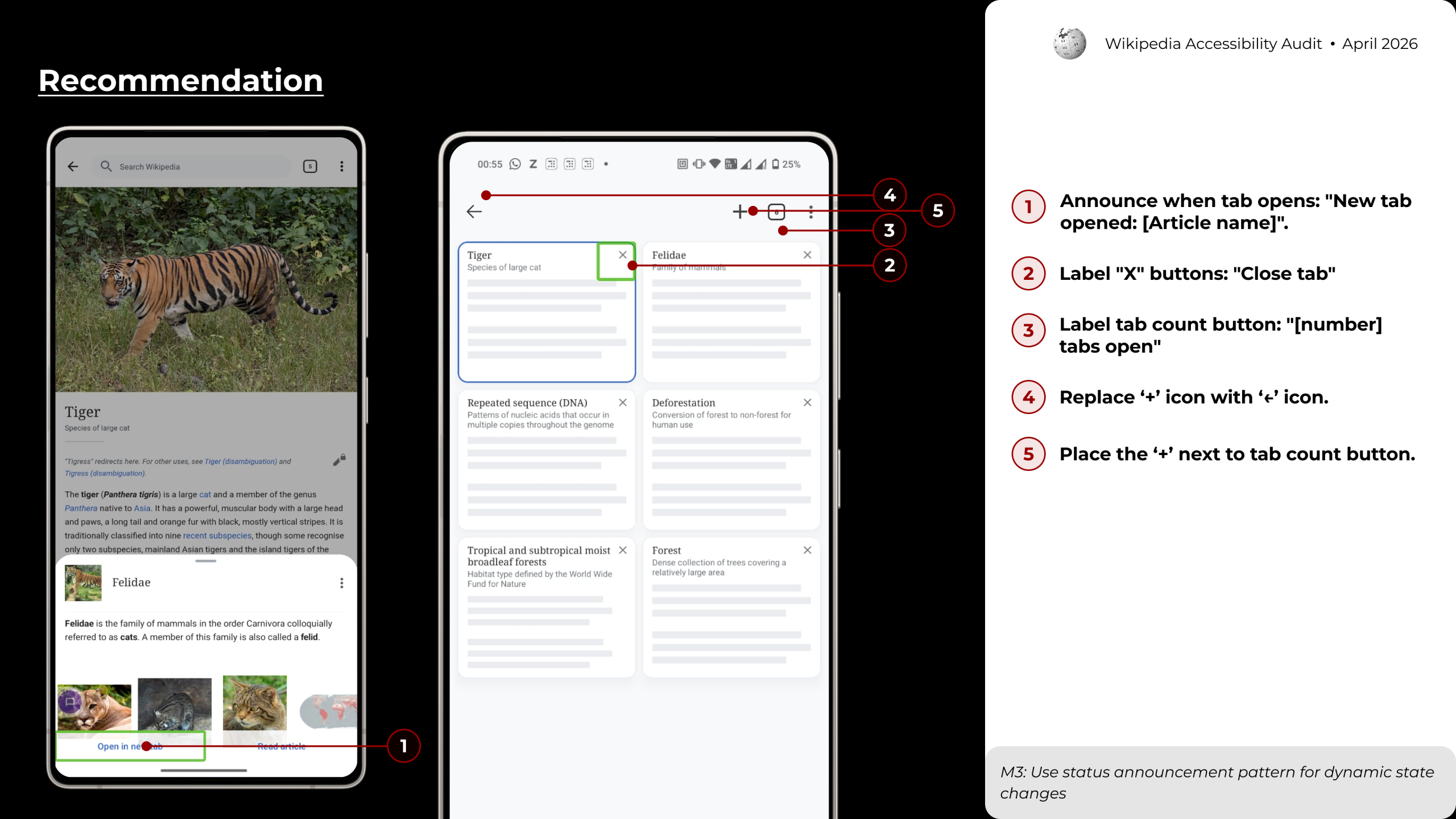
For screen reader users, opening a new tab happens in silence; no announcement confirms it worked, and no indication appears about where the new tab can be found. The tab counter button is read as “back,” and the close button is announced as “Button, detected text x,” giving users no way to know it closes a tab. These labeling failures make tab management nearly unusable with TalkBack. Simple fixes resolve most of it: announce “New tab opened: [Article name]” on creation, relabel the close button as “Close tab,” and update the counter to read “[N] tabs open.” (WCAG 4.1.3, 4.1.2)
Finding #3: Broken reading experience
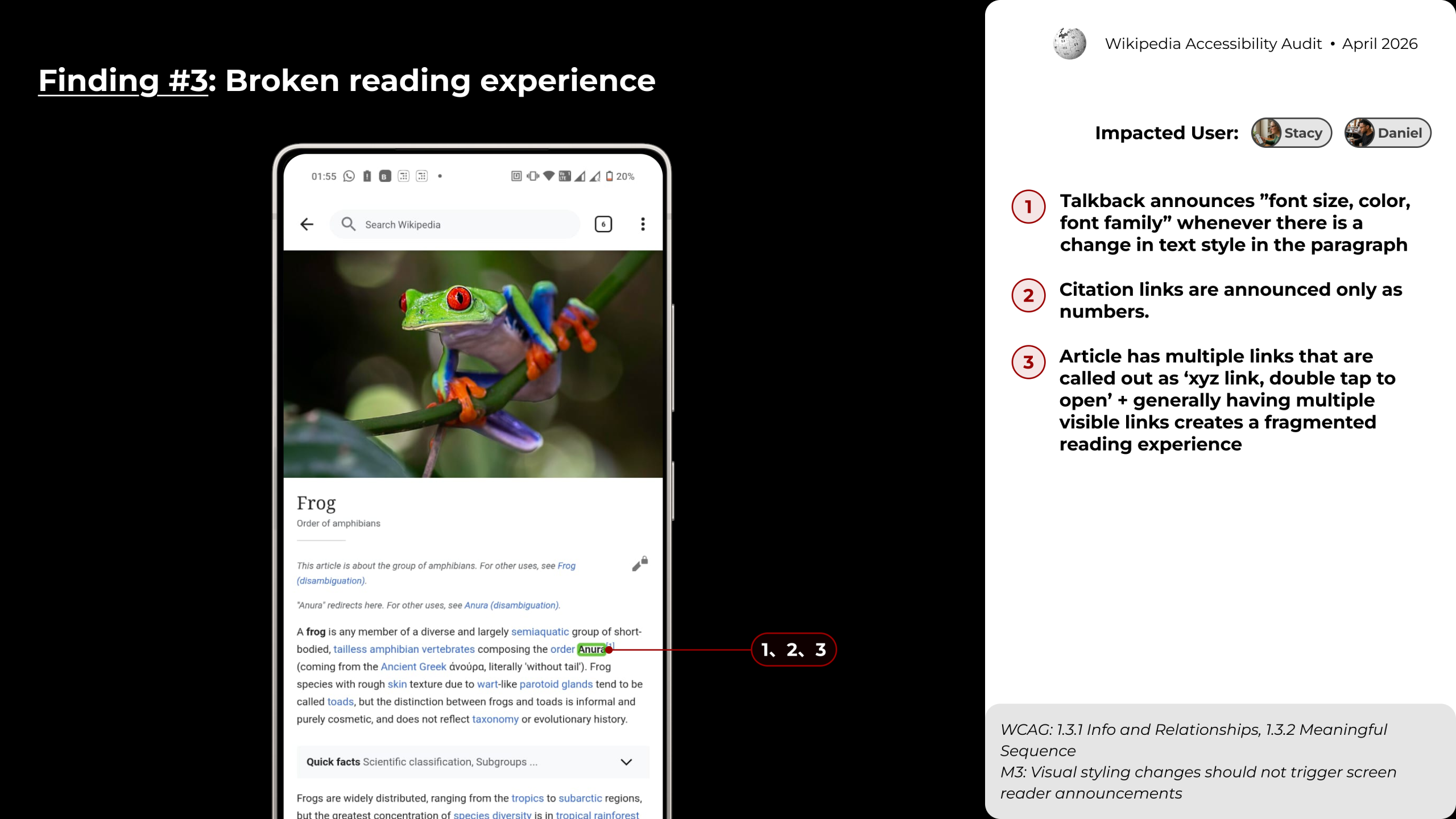
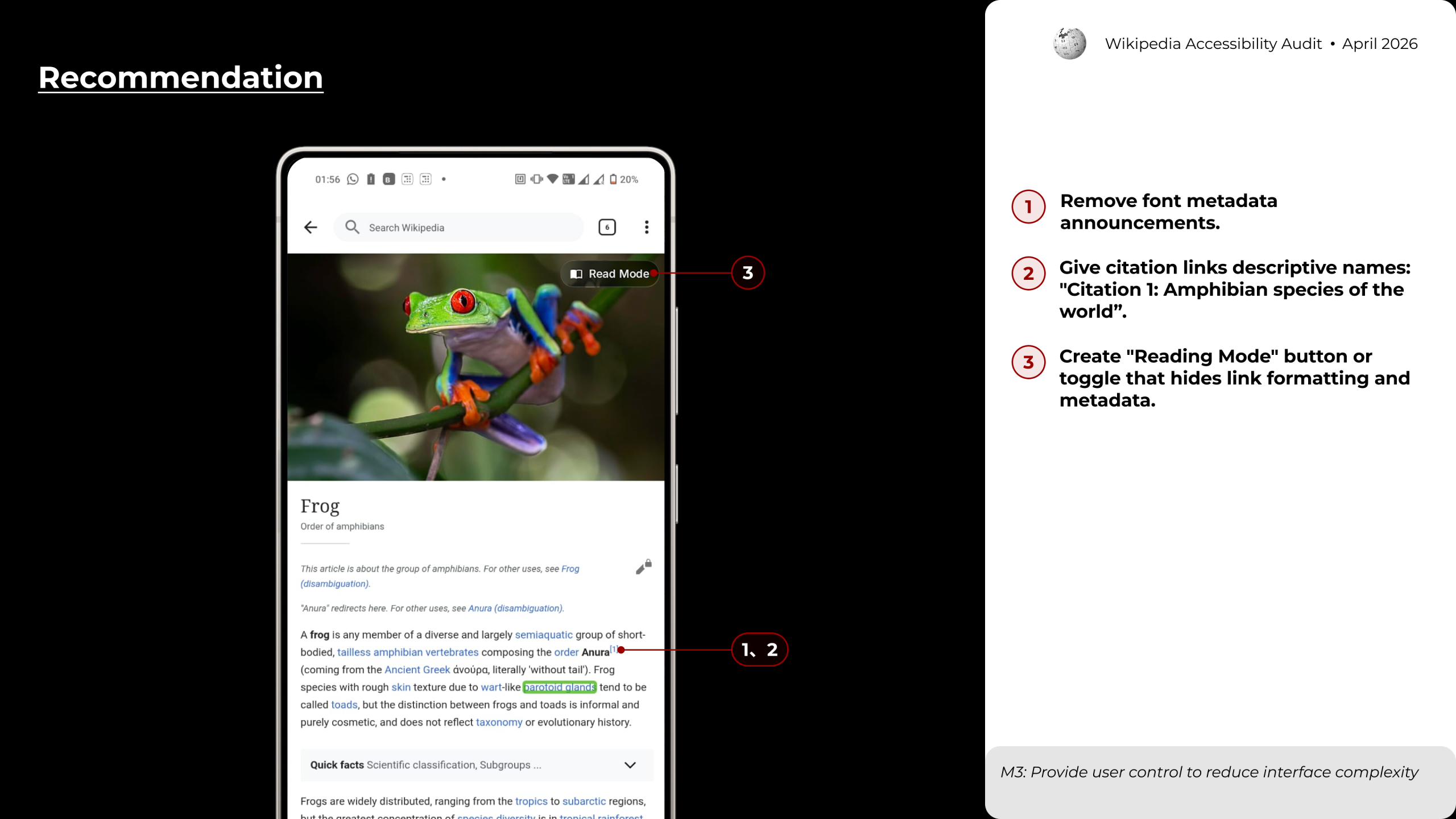
Reading a Wikipedia article with TalkBack is constantly interrupted by irrelevant announcements: every change in font size, color, or family is read aloud mid-sentence, breaking the flow of content. Citation links fare no better, announced only as bare numbers with no indication of what they reference. On top of that, the high density of inline hyperlinks creates a fragmented experience for users with ADHD, who must navigate repeated “double tap to open” prompts throughout the text. Stripping font metadata from TalkBack output, giving citations descriptive names, and offering a Reading Mode toggle that clears link formatting would all dramatically improve the experience. (WCAG 1.3.1, 2.4.4)
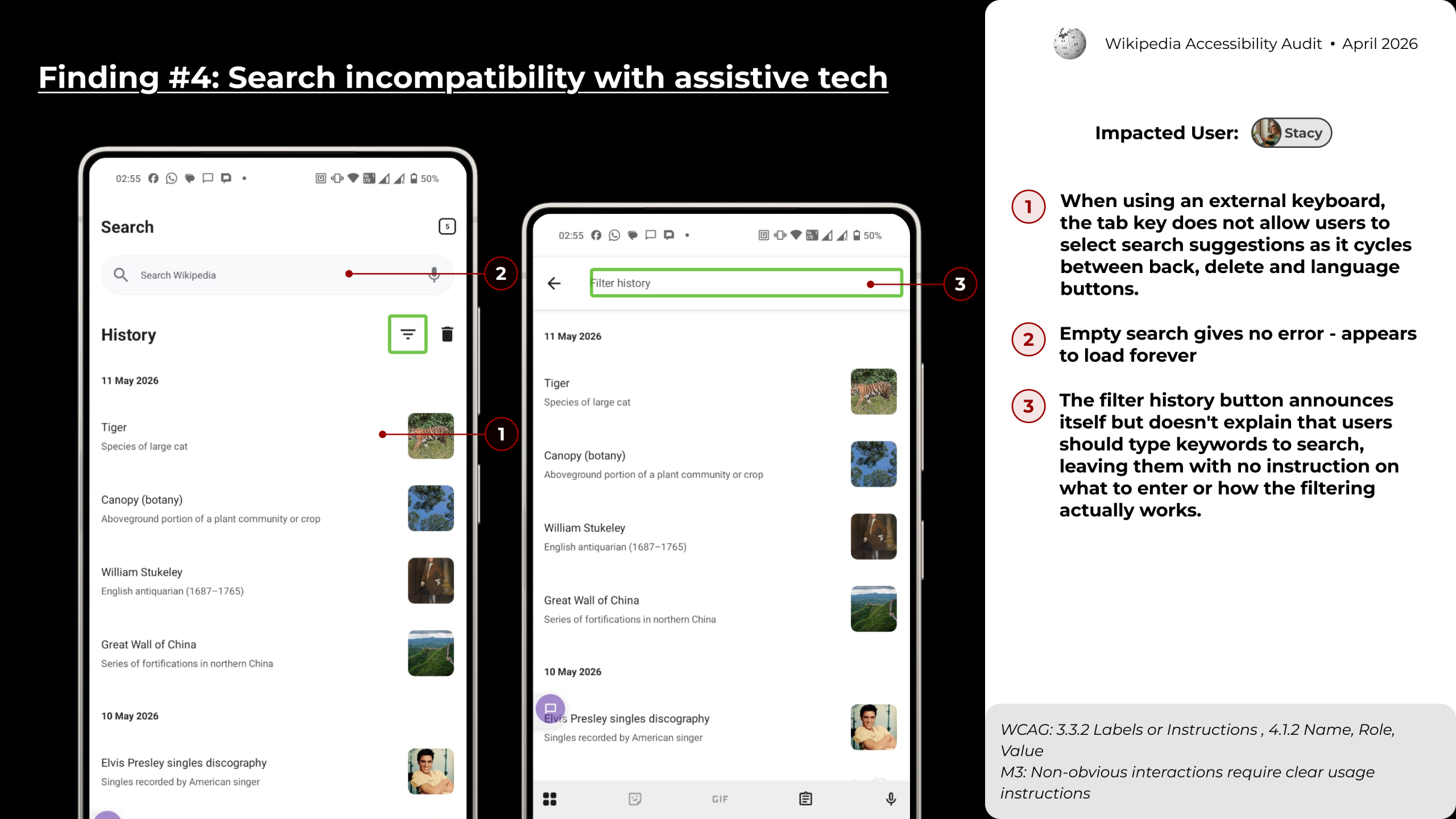
Finding #4: Search incompatibility with assistive tech
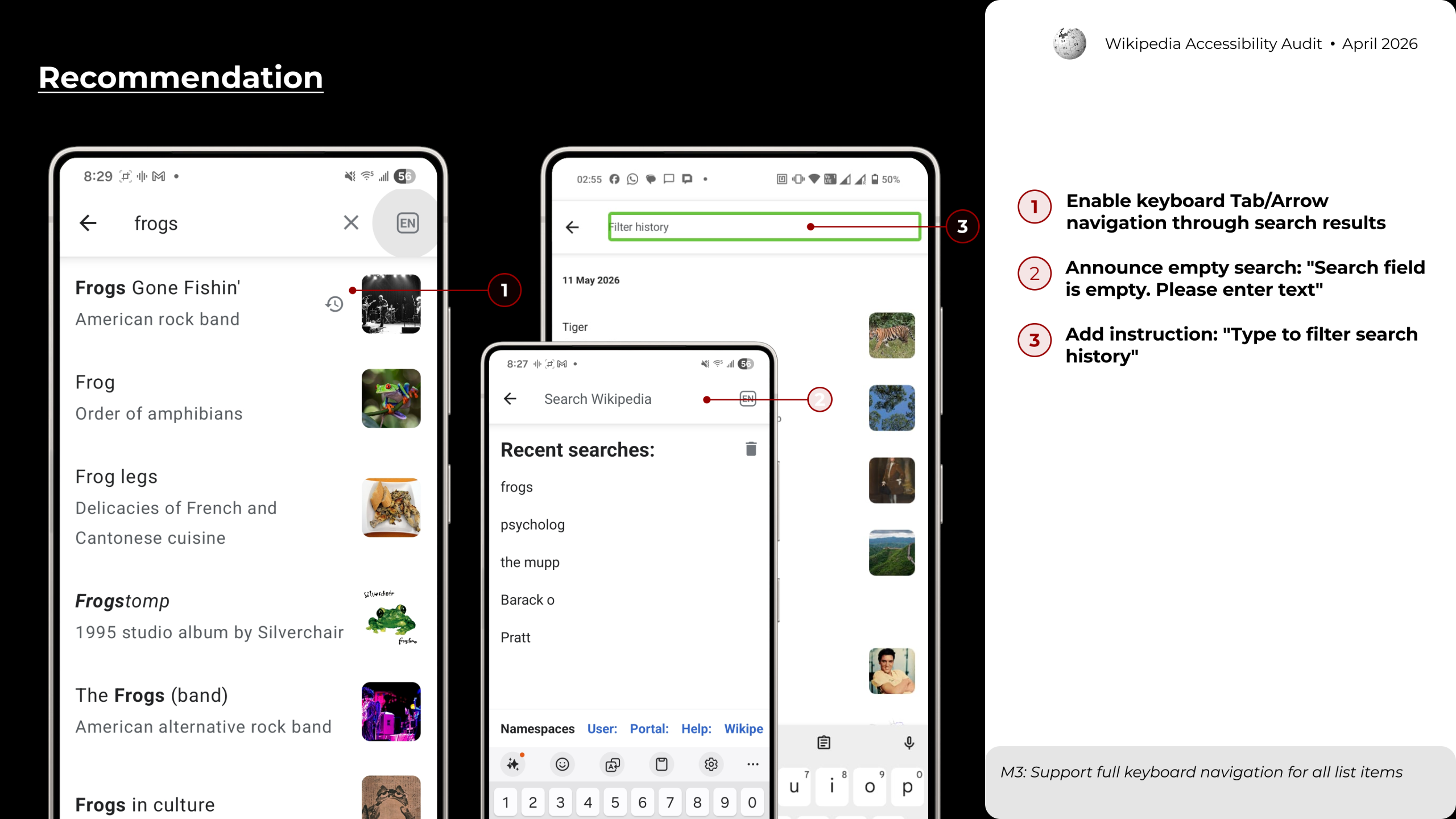
Users navigating with an external keyboard find that the Tab key cycles through back, delete, and language buttons, never landing on search suggestions. Submitting an empty search produces no error message; the app simply appears to hang, loading indefinitely. The search history filter button announces its own label but gives no instruction on how filtering actually works, leaving users without a clear next step. Enabling Tab and Arrow key navigation through results, announcing an empty-state error, and adding a short helper text like “Type to filter search history” would bring the search experience into basic compliance. (WCAG 2.1.1, 3.3.1)
Beyond the critical tier, six medium-priority findings (Tier 2) add friction without fully blocking access. Two stand out: image galleries rely on swipe-only navigation with no visible position indicator, leaving users uncertain where they are in a sequence; and pronunciation audio offers no IPA text alternative, with a speaker icon that TalkBack cannot announce. Both gaps disproportionately affect deaf and low-vision users who cannot rely on audio or gesture-based cues alone.
Key Takeaway
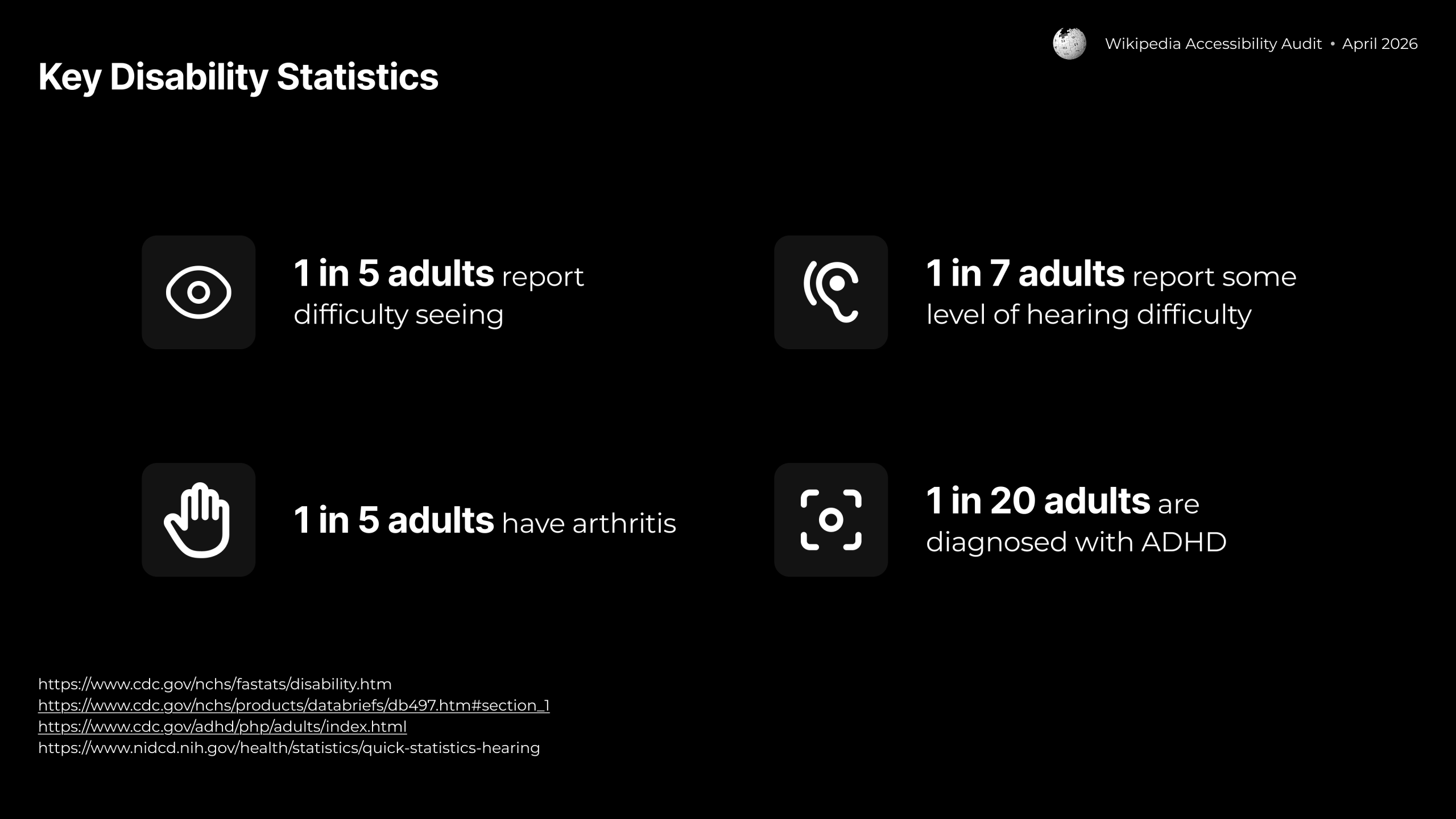
Nearly 8 in 10 identified issues are critical — signaling a significant accessibility debt in a product used by millions. Most fixes are implementation-level changes (adding contentDescription attributes, fixing ARIA labels, enabling keyboard focus order) rather than design overhauls. Addressing the Tier 1 backlog would meaningfully improve access for the approximately 1 in 5 adults with vision difficulties, 1 in 7 with hearing difficulty, and 1 in 5 with arthritis who use Android devices every day.