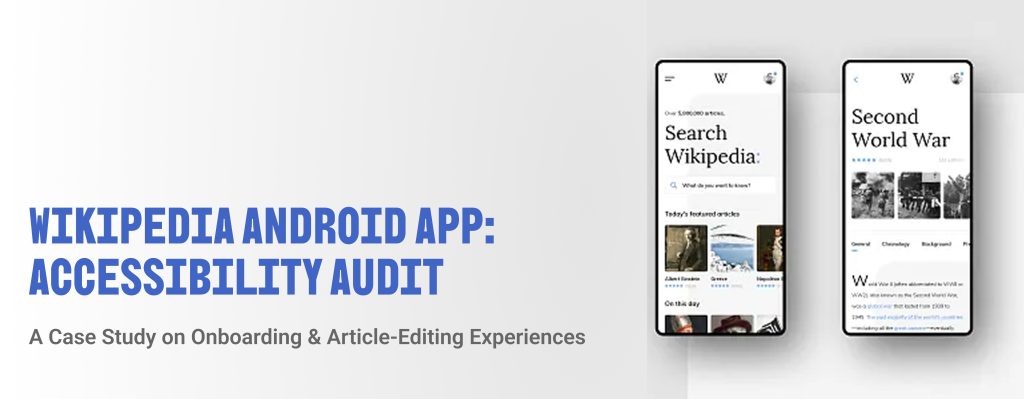
Wikipedia has always represented something unique – a living, collaborative encyclopedia built by ordinary people, freely available to anyone on the internet. But when we began looking closely at the Wikipedia Android app, we started asking a harder question: freely available to whom, exactly?
Team: Ammara Fatima, Robert Rivera, Yash Wake, Yu Ting Chiang, Carlos Soriano
Overview
Wikipedia is for everyone. But is it?
Wikipedia functions as one of the world’s most widely used repositories, yet its mobile experience presents friction for users who rely on assistive technologies. Our accessibility audit aimed to identify where this friction or barriers exist, understand their severity, and propose recommendations for improvement.
As part of a five-person team, I conducted an accessibility audit of the Wikipedia Android app, focusing specifically on the onboarding and article-editing experiences. Our team applied a structured, persona-driven methodology grounded in the Web Content Accessibility Guidelines (WCAG) 2.1/2.2 to evaluate how well the app serves users with disabilities.
Here’s what we did.
Why accessibility is important:
According to the World Health Organization around 16% of the global population live with a significant disability today. Motor and mobility impairments are the most common, affecting 1 in 7 adults in the United States. Hearing loss affects approximately 15% and nearly 10% of American adults live with a speech disability.
These figures underscore the scale of users who stand to benefit from more accessible design. The effects of poorly designed websites and mobile apps can cause damage to individuals or organizations looking to create inclusive environments.
Our research process was defined by these statistics.
Our research process followed five sequential stages before any hands-on evaluation began.
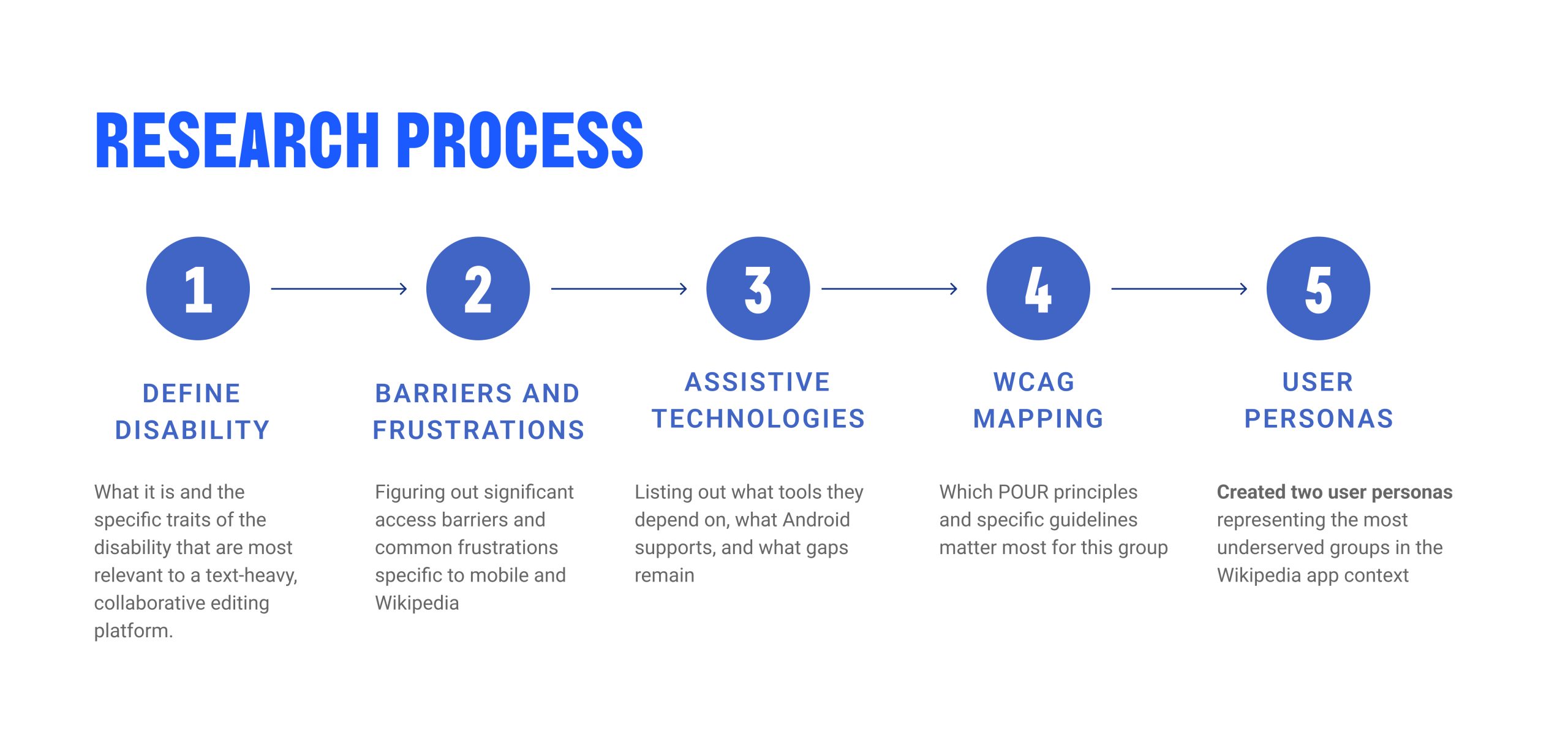
Starting by first defining the disability categories most relevant to Wikipedia – a text-heavy, collaborative editing platform, we then mapped the frustrations users in those categories commonly encounter on mobile. We applied WCAG’s POUR framework to select the guidelines most critical for our target user groups and constructed two user personas representing the most underserved populations in the context of the Wikipedia app.
Meet our users:
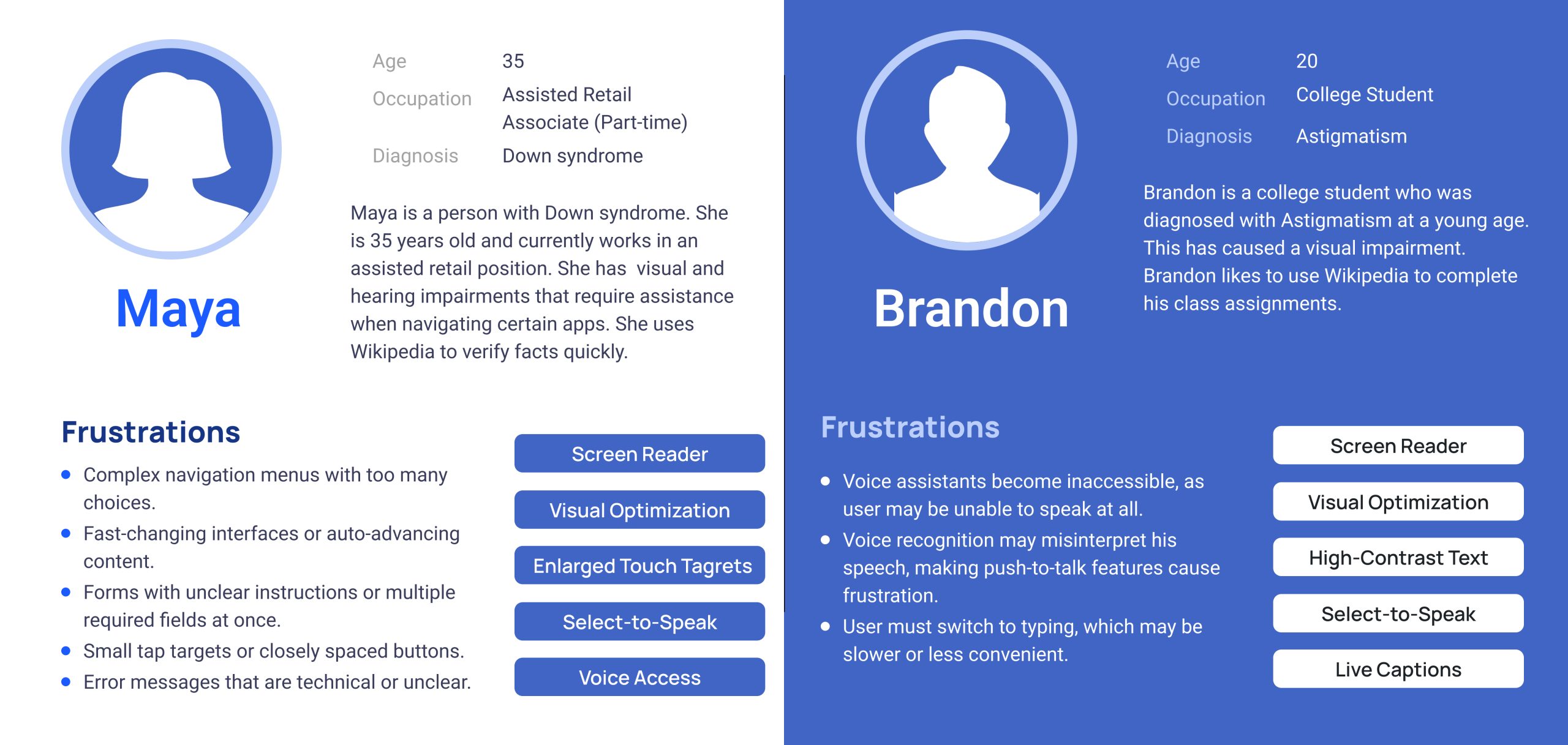
To ground our evaluation in real human need, we developed two personas representing distinct disability profiles: Maya and Brandon.
Our Process: Methodology
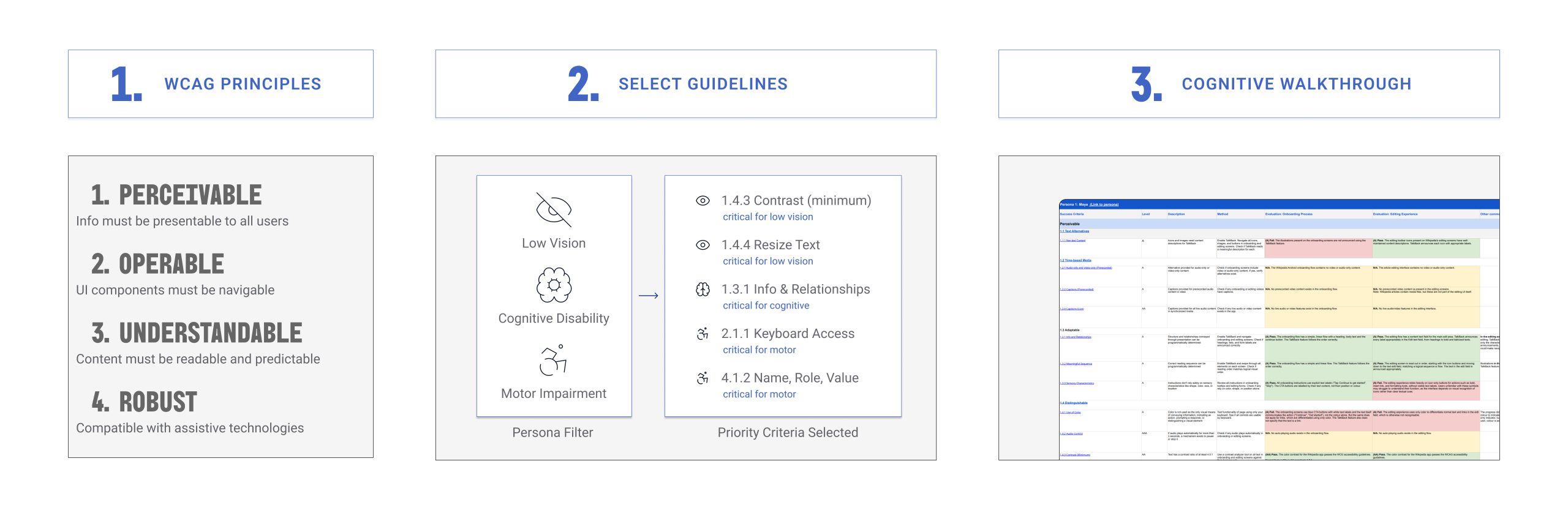
Our audit was structured around three stages. We started by applying the WCAG POUR – Perceivable, Operable, Understandable and Robust – framework as our evaluative foundation, then filtered the WCAG guidelines through our personas to identify the criteria.The priority criteria we selected was based on low vision, cognitive disability, and motor impairment.
With these guidelines established, we conducted a cognitive walkthrough of both the onboarding and article-editing flows. By moving through each flow as our personas would, we were able to surface barriers that visual inspection alone could miss.
Our testing toolkit included TalkBack, external keyboard navigation, a contrast analyzer, the Android Accessibility Scanner, system font and display size adjustments, 400% zoom and reflow testing, and manual interaction testing. Each issue identified was assigned a severity rating on a three-tier scale:
Tier 1 – Critical, requiring urgent remediation,
Tier 2 – Important, addressing significant WCAG Level AA violations
Tier 3 – Enhancement, representing improvements with long-term user benefit
Findings: Onboarding Process
The onboarding flow demonstrated a strong baseline. TalkBack labeling was consistent across icons and call-to-action buttons, the linear screen progression was easy for screen reader users to follow, and the screens adapted well to larger font sizes and zoomed displays. These strengths provided a reliable foundation, but our evaluation surfaced one meaningful gap spanning across three WCAG principles.
Under the Perceivable, Operable and Robust principle, we found that inline links within the onboarding screens are differentiated from surrounding text using color alone, violating WCAG 1.4.1 (Use of Color). These links are also not reachable as individual interactive elements via TalkBack or keyboard navigation, violating WCAG 2.4.4 (Link Purpose).
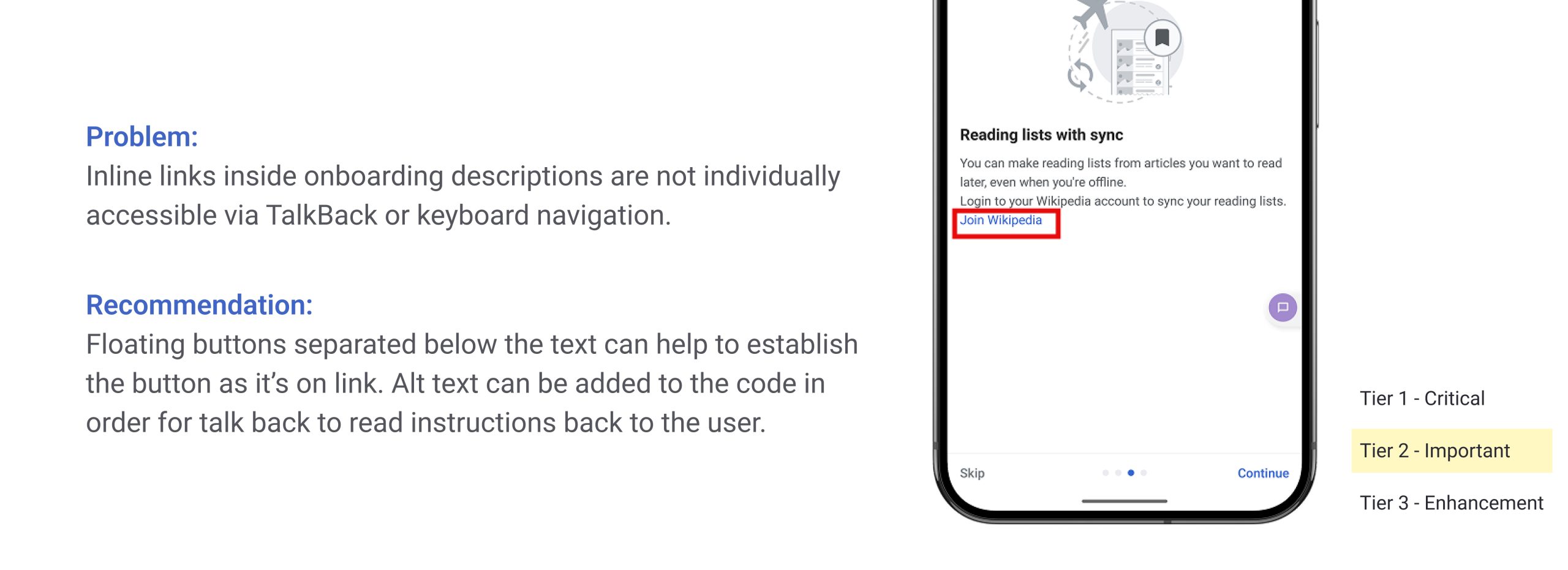
We recommended that inline links be redesigned as standalone tap-able buttons positioned below their descriptive text, with appropriate alt text enabling TalkBack identification – a Tier 2 issue.
Findings: Article-Editing Process
The editing experience demonstrated strong contrast ratios and more consistent labeling than the onboarding flow, but carried more severe accessibility gaps – particularly for users dependent on keyboard navigation or TalkBack within the editing experience.
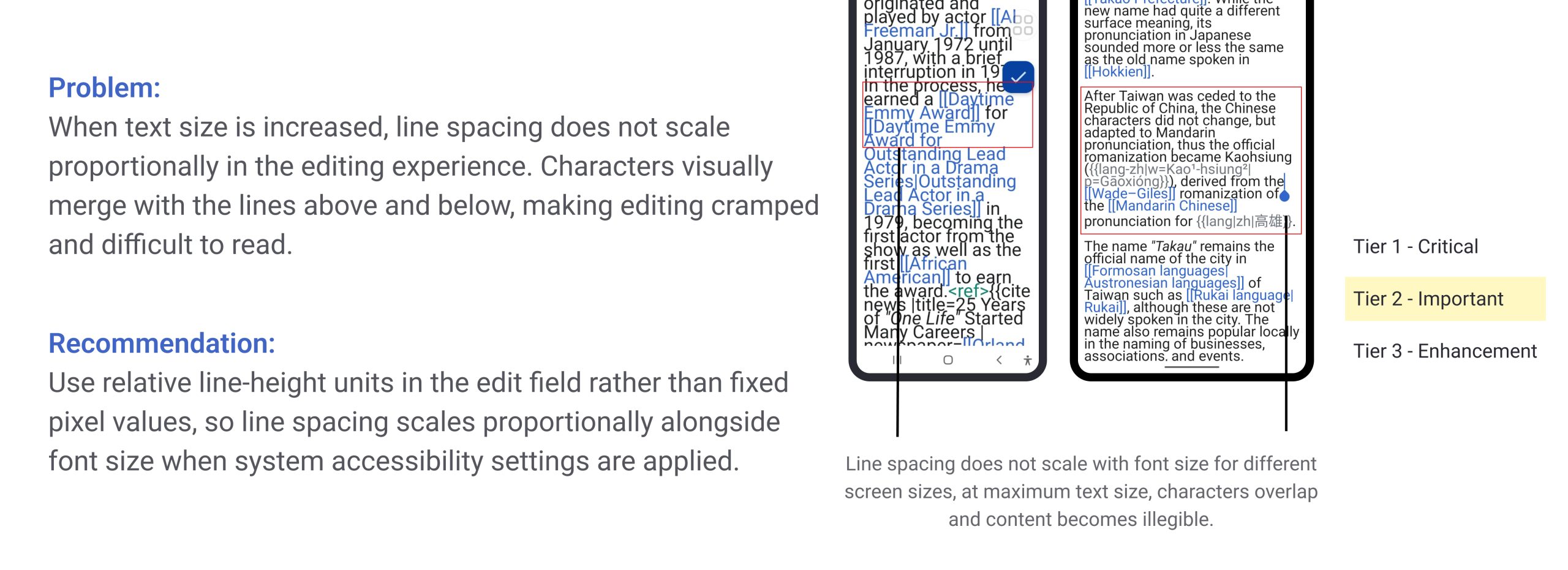
The editing toolbar icons were consistently labeled and accessible via TalkBack, and overall color contrast met WCAG standards. But the toolbar relies exclusively on icon-only buttons with no visible text labels for sighted users, in violation of WCAG 1.3.3 (Sensory Characteristics). Another critical systematic issue is when users increase system text size, line spacing within the edit field does not scale proportionally. Characters visually merge with adjacent lines, rendering content cramped and difficult to read – a WCAG 1.4.12 (Text Spacing) violation rated Tier 2.
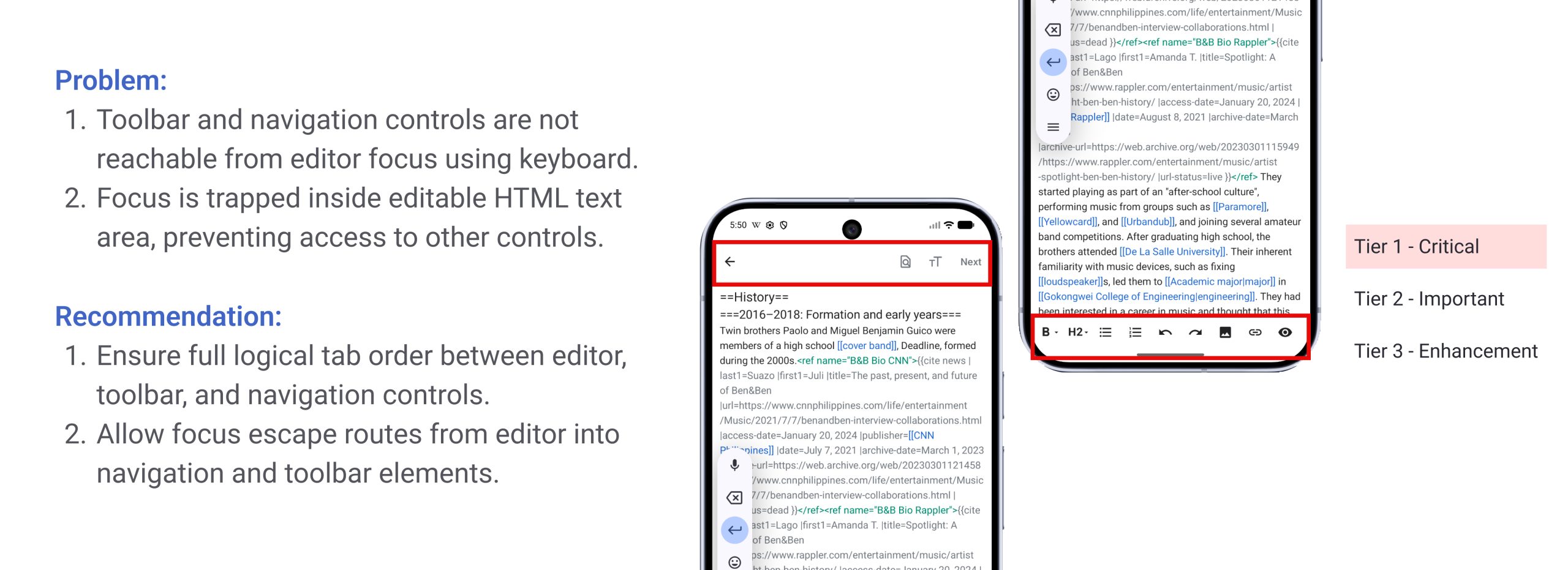
Our evaluation also uncovered two Tier 1 Critical failures. First, keyboard focus could not reach the top navigation bar or bottom formatting toolbar from within the editor area, violating WCAG 2.1.1 (Keyboard). Second, and more severely, keyboard focus became entirely trapped inside the editable HTML text area, blocking access to save and formatting controls in violation of WCAG 2.1.2 (No Keyboard Trap). These issues collectively prevent keyboard-dependent users from completing the editing workflow. On a positive note, exiting the editor prompts a confirmation, protecting against accidental loss of unsaved work, and TalkBack correctly announces toolbar states and disabled control states.
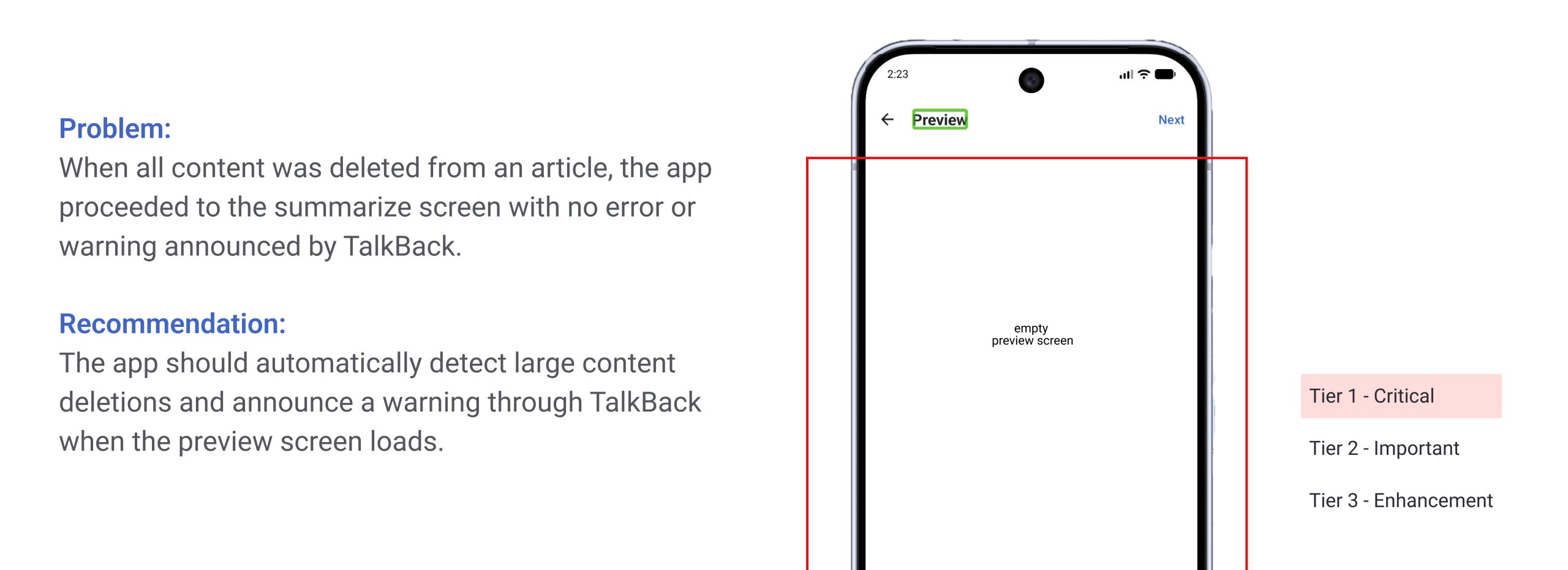
Another Tier 1 Critical issue related to error handling was identified. When all content was deleted from an article and the user proceeded, the app moved to the summarize screen with no error or warning announced by TalkBack, violating WCAG 3.3.1 (Error Identification). When the empty edit was then submitted, the app accepted the change without providing any corrective guidance at any stage, violating WCAG 3.3.3 (Error Suggestion).
Conclusion
This audit found that the Wikipedia Android app is partially accessible – its foundations in onboarding and basic TalkBack labeling are solid, and several Android system features integrate without any issues. But the gaps we identified are not minor inconveniences. They are real barriers that meaningfully worsen the experience for users who are already navigating the world with hardships.
Beyond the findings themselves, this project changed how I think. Moving through the app as Maya and Brandon – seeing each screen through their specific needs and limitations – forced me to look through a lens I would not have picked up on my own. Small design decisions that I might have previously overlooked entirely turned out to carry real consequences. That shift in perspective is something I want to carry into every project I work on moving forward. Accessibility is not a checklist item to be signed off at the end of a design process. It is a way of thinking about who you are designing for, and whether the decisions you make include or quietly exclude the people who need the most consideration. This audit was a reminder that good design works for everyone.
References:
World Health Organization. (2023). Disability and health. WHO Fact Sheets. https://www.who.int/news-room/fact-sheets/detail/disability-and-health
Accessibly. (2025). Most common disabilities in the world: 2024 updated statistics. https://accessiblyapp.com/blog/most-common-disabilities-world/