Team: Ananya Yadav, Aswathi Thilak, Chandni Singh, Hridya Nadappattel, Qasim Malik
Timeline: 1 month
Client: Wikimedia
Objective: Conducting an Accessibility Audit of the Liquid Glass (iOS 26) Update for Wikipedia’s iOS app
Wikipedia’s updated iOS experience introduced Apple’s new Liquid Glass interface language across the app. The redesign aimed to modernise interactions and make navigation feel lighter and more fluid.
Working with the Wikimedia Foundation team, our role was to evaluate how these changes affected accessibility across two core flows: searching for information and reading articles.
What initially sounded like a straightforward accessibility audit quickly became more complicated. The reading experience depended on how users moved through information, recovered from navigation, interpreted visual cues, and interacted with assistive technologies across the app. With this in mind, we sought to ask:
How Accessible Is Wikipedia’s New Reading and Search Experience?
What Breaks Between Search and Reading?
What initially sounded like a straightforward audit quickly became more complicated. Accessibility issues weren’t appearing only as failed WCAG checks — they were also appearing in the way users moved through information, recovered from navigation, interpreted visual cues, and interacted with assistive technologies across the experience.
We Had No Accessibility Participants to Test With
Traditional accessibility testing often depends on observing real users interact with a product. But for this project, we had no direct access to accessibility participants.
Instead of limiting the work to a surface-level WCAG audit, we looked for ways to reconstruct how different users might realistically experience Wikipedia’s search and reading flows.
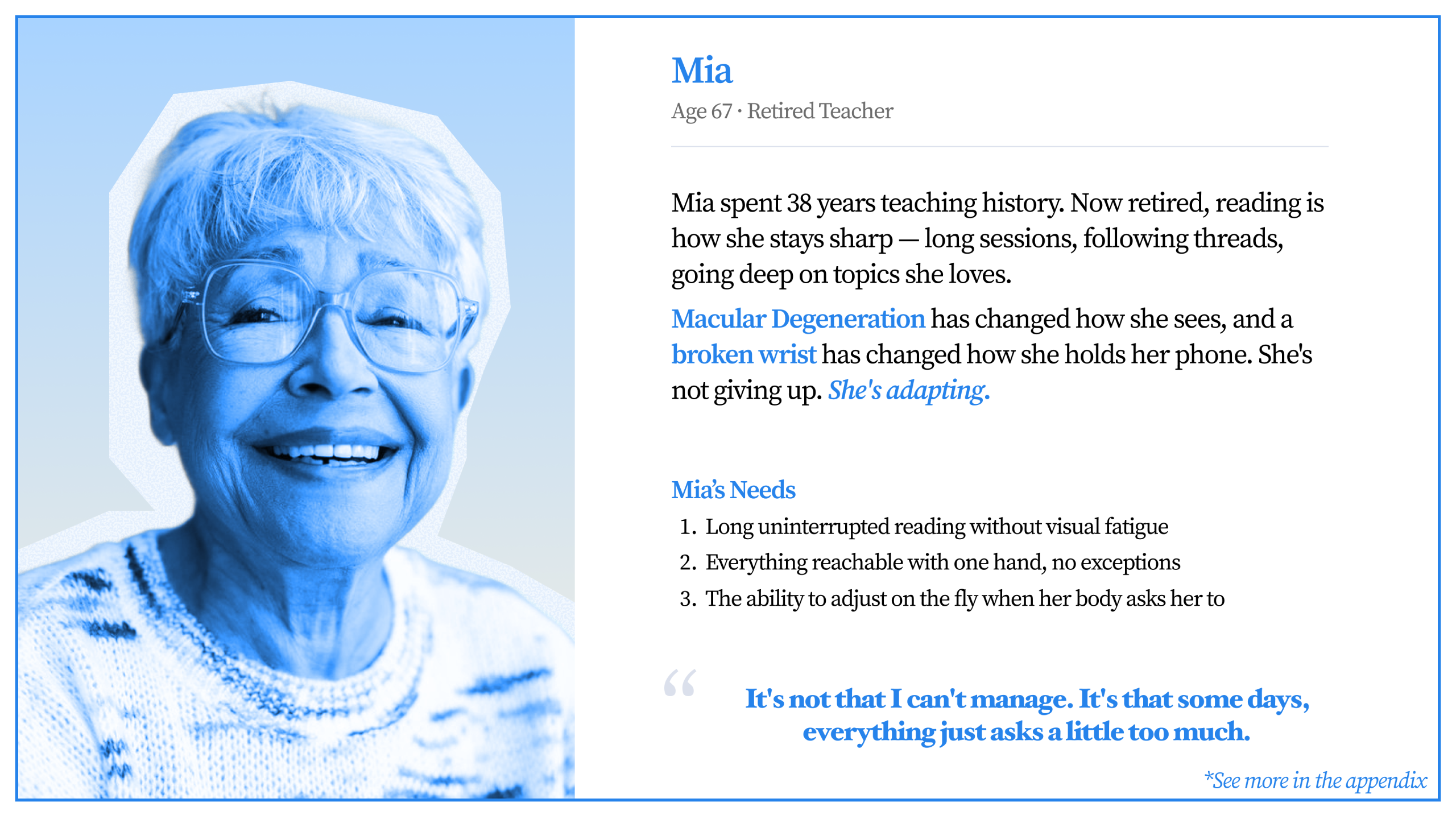
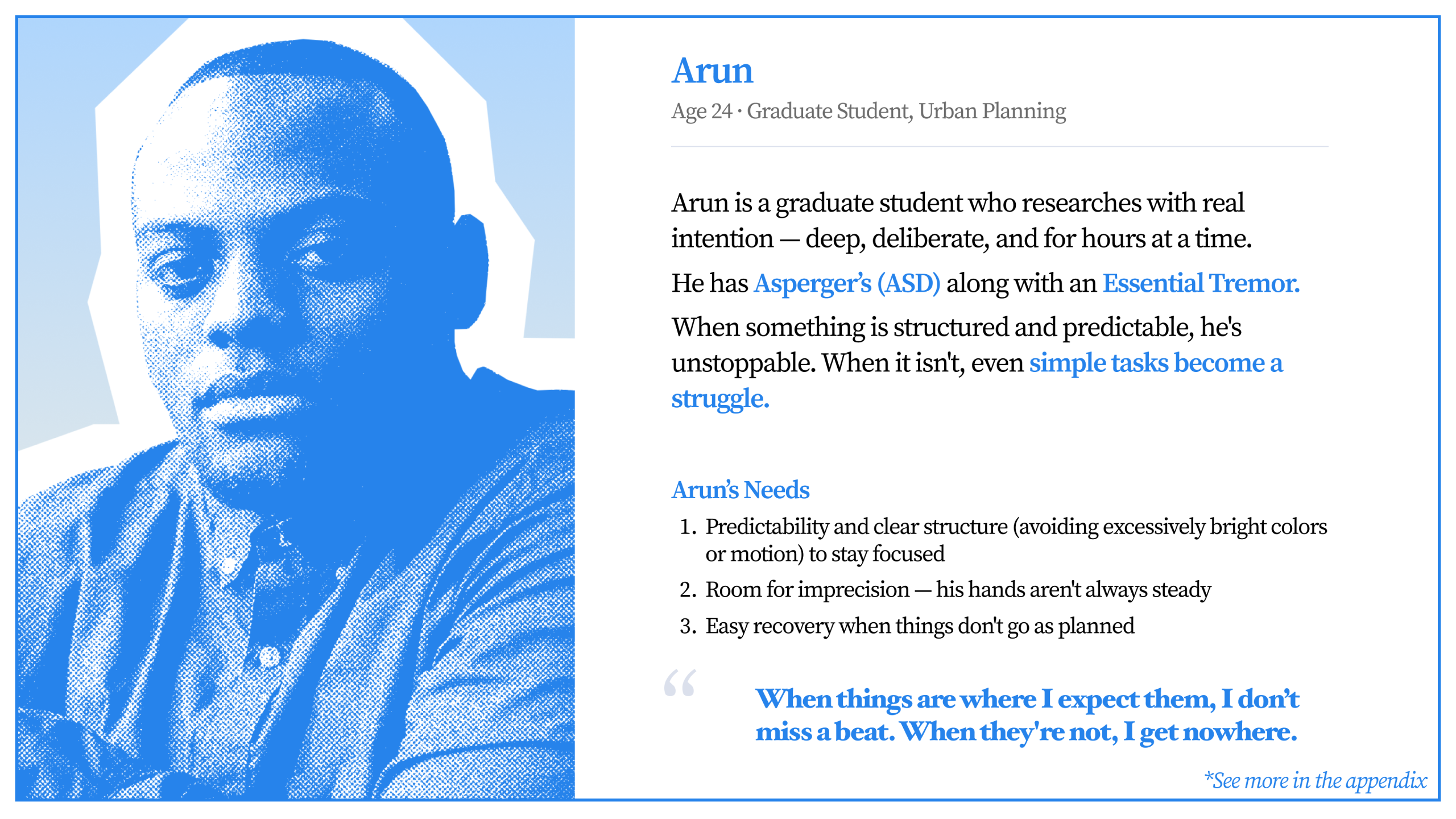
We researched accessibility studies and existing literature around screen readers, low-vision usage, cognitive accessibility, and motor impairments. Using these findings, we developed personas that helped us simulate different reading behaviours and accessibility needs across the app.
Rebuilding Reader Behaviour Through Cognitive Walkthroughs
Using these personas, we conducted cognitive walkthroughs across tasks defined during our stakeholder discussions with Wikimedia.
We followed how users:
- Article search functionality
- Search results and filtering
- Opening articles in new tabs
- Article reading interface
- In-article navigation
- Language selection and switching
- Image viewing/galleries
- Media playback
- Offline reading capabilities
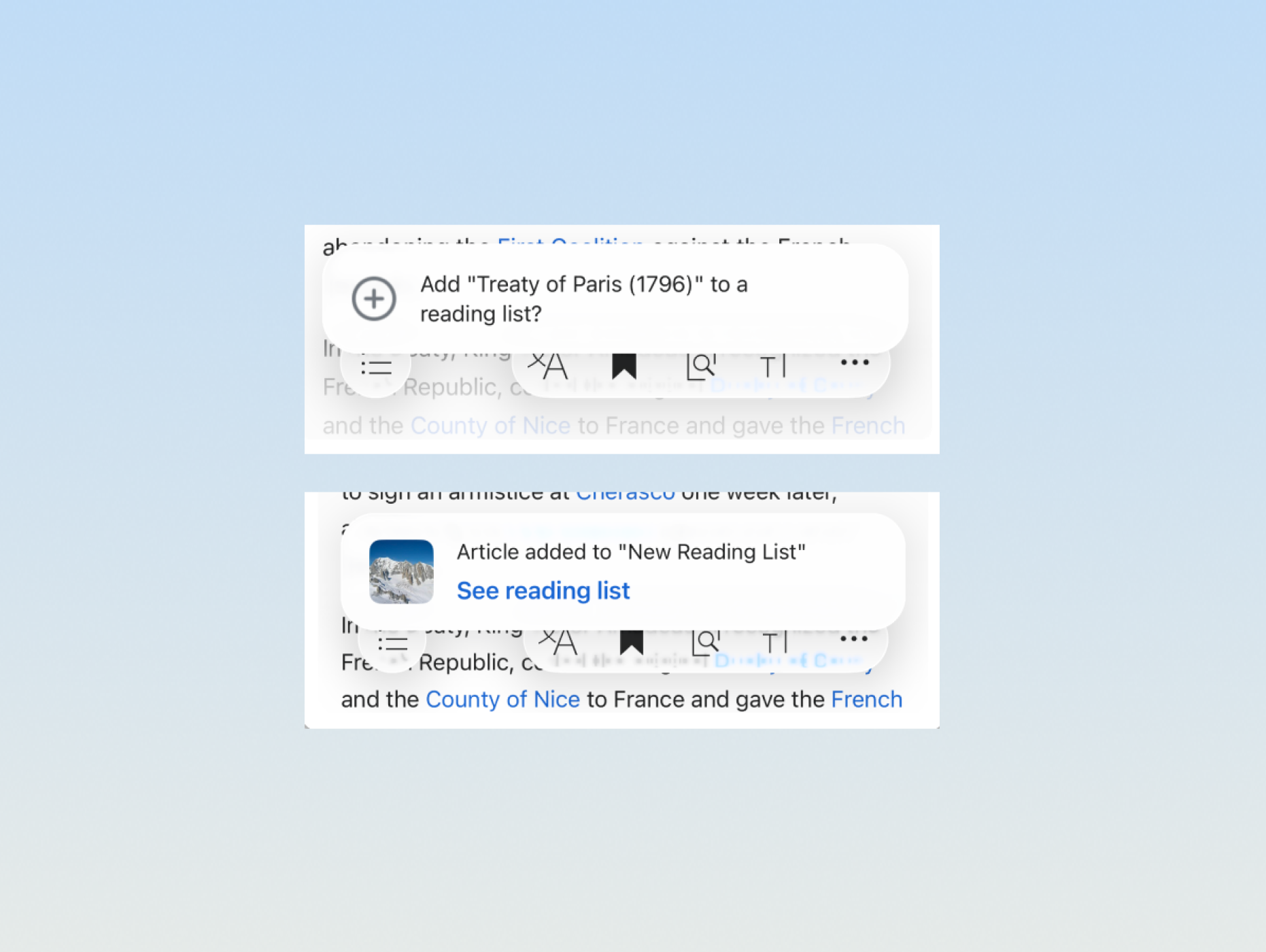
Rather than evaluating screens independently, we focused on how friction accumulated across the full search-to-reading journey.
This helped reveal issues that standard compliance testing alone could not fully capture.
WCAG Could Explain Some Problems… But Not All
Alongside walkthroughs, we audited the app against WCAG 2.1 and 2.2 guidelines.
Several issues emerged repeatedly throughout the experience:
- low contrast introduced through Liquid Glass styling
- links relying primarily on colour alone
- missing VoiceOver announcements
- repetitive navigation patterns
- inconsistent navigation recovery
- discoverability problems within support flows
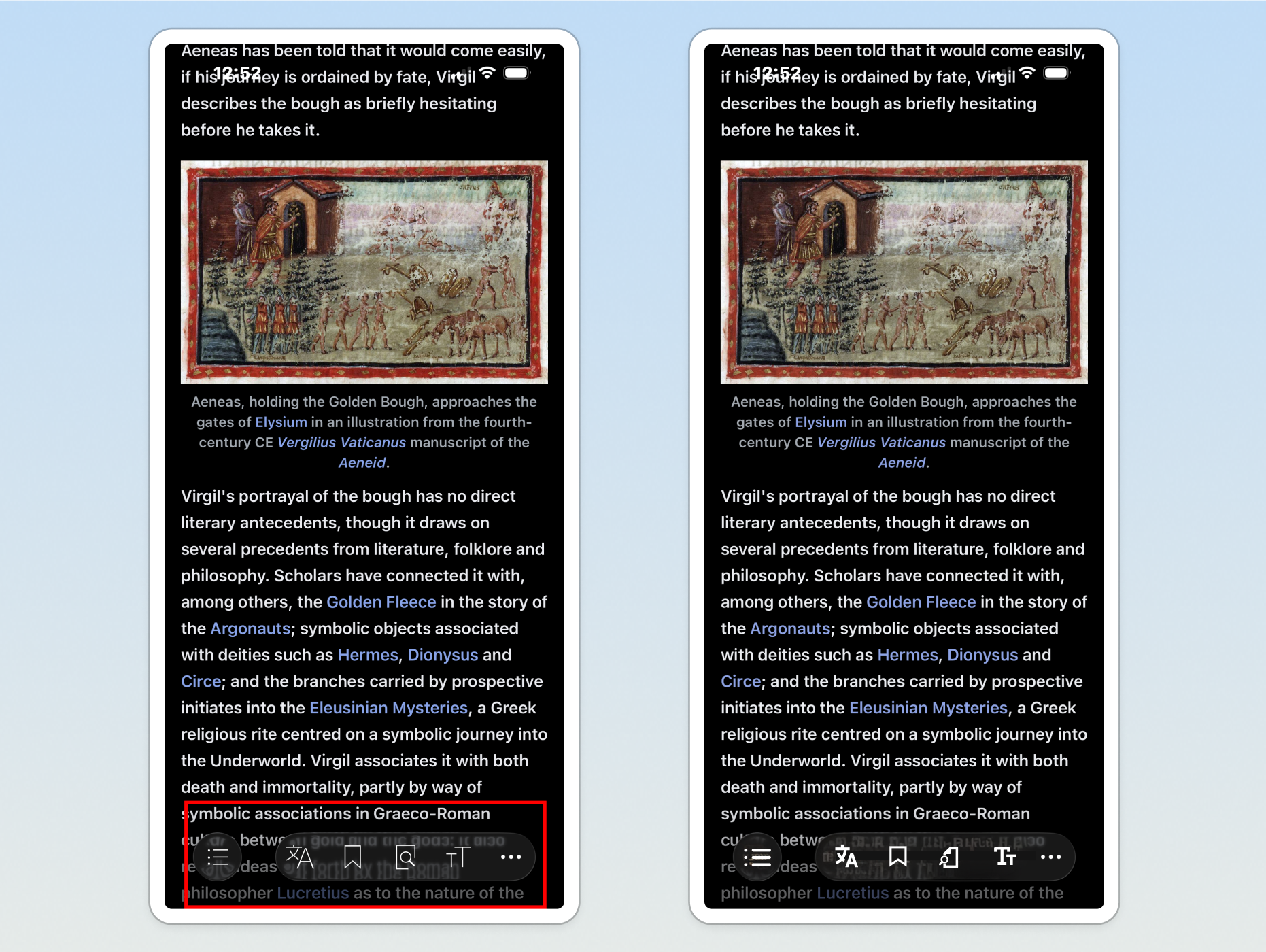
Some problems clearly violated WCAG standards. Others technically passed compliance but still created friction during real interaction flows.
This became especially visible during reading tasks, where small interruptions repeatedly disrupted how users consumed information.
Not Every Accessibility Issue Deserved the Same Attention
As findings accumulated, we began organising issues based on user impact rather than simply listing failures.
We grouped problems into three levels:
- critical barriers directly affecting task completion
- moderate friction affecting usability and navigation
- quality-of-life improvements that strengthened the overall experience
This helped shift the project from a checklist of accessibility failures into a prioritised set of recommendations that could realistically support product decisions.
Apple’s Native Components Were Failing Too
One of the most surprising insights from the project emerged during discussions with the Wikimedia team.
Several problematic interface elements were not custom-built by Wikipedia — they were Apple-provided native components introduced through the Liquid Glass update.
The assumption that platform-native automatically meant accessible quickly broke down.
This shifted how I understood accessibility work. Accessibility wasn’t only about following guidelines or trusting existing systems. It also required critically evaluating the tools, components, and design patterns already considered “safe.”
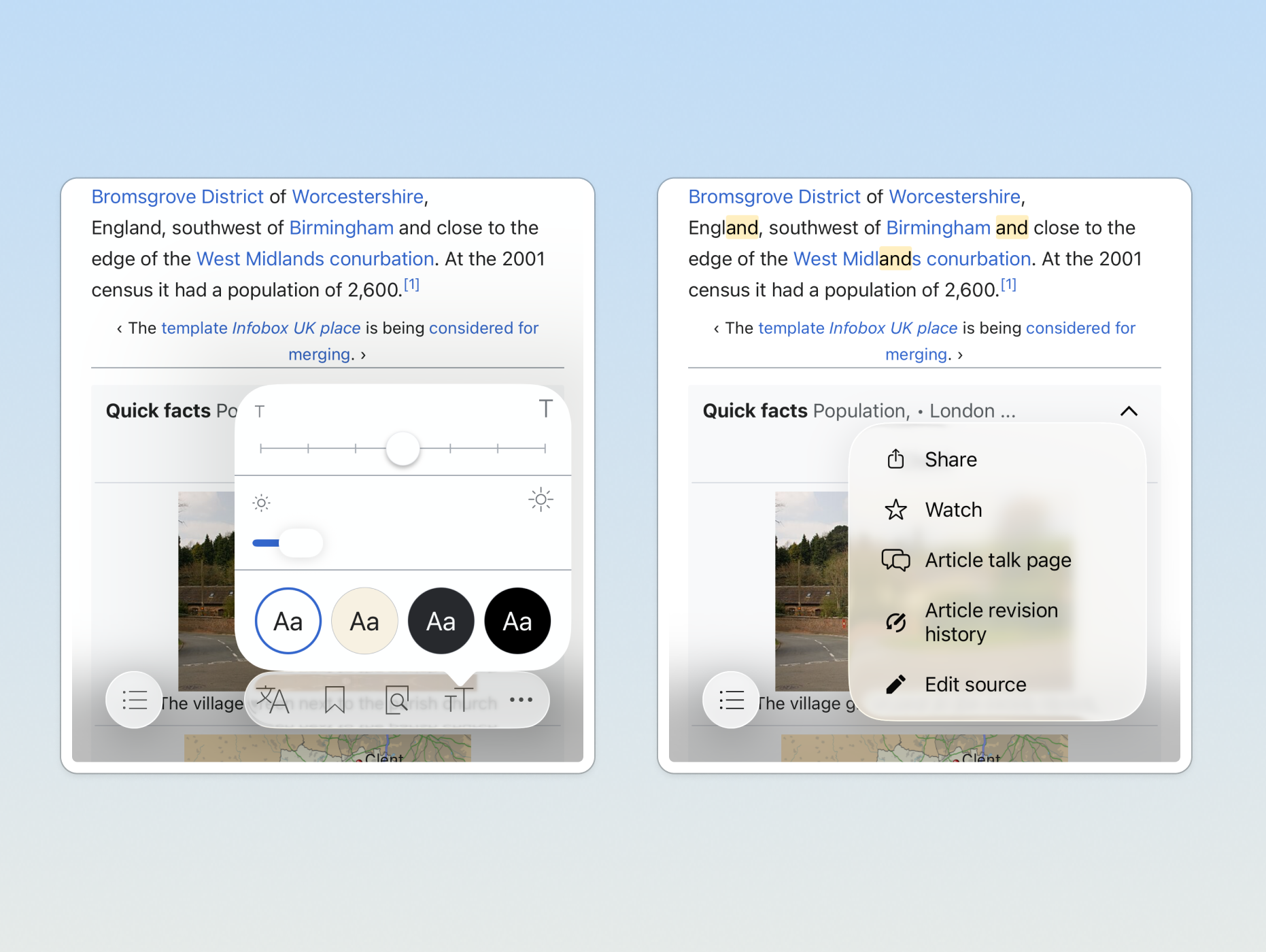
What We Handed Back to Wikimedia
The final deliverable combined cognitive walkthrough findings, WCAG audit results, prioritised recommendations, and interaction-level observations gathered throughout the project.
- balancing standards with lived interaction experience
- communicating issues clearly to stakeholders
- prioritising recommendations realistically
- and understanding accessibility as an ongoing systems problem rather than a final compliance check
What began as an audit ultimately became a deeper investigation into how people actually experience information-heavy platforms like Wikipedia.
Conclusion
This project made me realise how much accessibility can still be missed, even in systems people already trust.
Some of the issues we found were coming from native Apple components themselves, which was honestly surprising. It changed the way I think about “accessible” design systems and how much they still need to be questioned and tested in context.
I also really appreciated my team throughout this project. Since I don’t own an iPhone, a lot of the work depended on shared screenshots, recordings, walkthroughs, and constant collaboration. They were incredibly patient and thoughtful about making sure I could still fully contribute to the audit.
More than anything, this project showed me that accessibility work is deeply collaborative, constantly evolving, and much more than just passing WCAG checks.