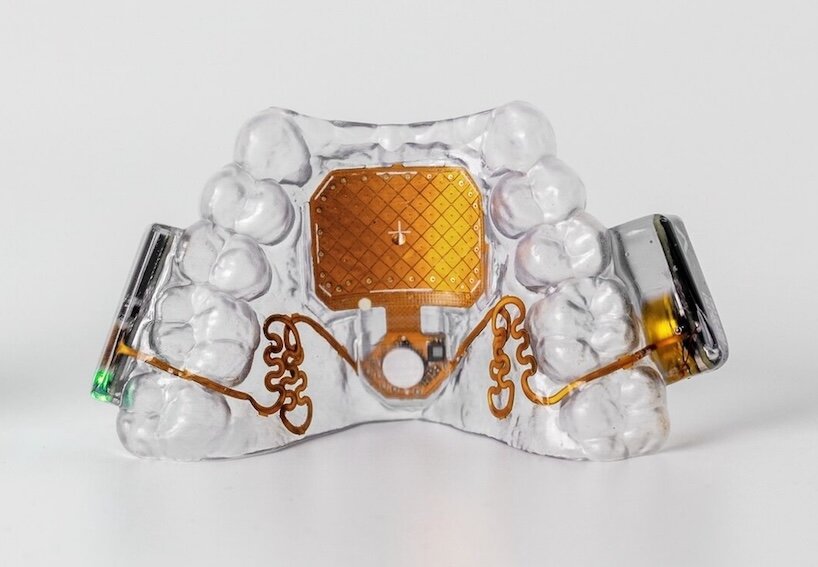
The MouthPad^ is a tongue controlled device made by Augmental, a startup that came out of MIT’s Media Lab. It looks like a thin retainer that sits on the roof of your mouth. Instead of using your hands, you move a cursor around by sliding your tongue across a small touchpad built into the device. To click, you press your tongue against your palate. To right click, you do a quick sipping motion. If someone has more head control than tongue control, they can switch to head tracking instead. Everything connects over Bluetooth, so it works with a laptop, phone, or tablet without needing any special software installed.
Augmental built this mainly for people with spinal cord injuries, quadriplegia, ALS, or other conditions that limit hand and arm movement. After a few years of private testing with around 150 early users, the device became available for public order in the US in July 2026.
Looking at the product through the lens the e-accessibility toolkit uses, the MouthPad^ is best described as accessible along the lines of utility and compatibility. It gives someone a genuinely functional replacement for a mouse, not a stripped down version of one, and it works across every device they already own. Where it falls short is affordability, which shows up clearly once you get into the features below.
Goals of the MouthPad^ as Assistive Technology
A lot of hands free input options, like sip and puff switches, are pretty limited. They let someone navigate slowly through a few basic options, but they don’t give much precision. Augmental’s founder has pointed out that a large part of the brain is dedicated to controlling tongue position, and tongue muscles don’t tire out as fast as a lot of other muscles people might rely on instead. So instead of building another slow switch based tool, the goal was to give someone real cursor control, precise enough to write an email, code, or play a game, without needing their hands at all.
Feature 1: Custom Fit, Multiple Ways to Control It
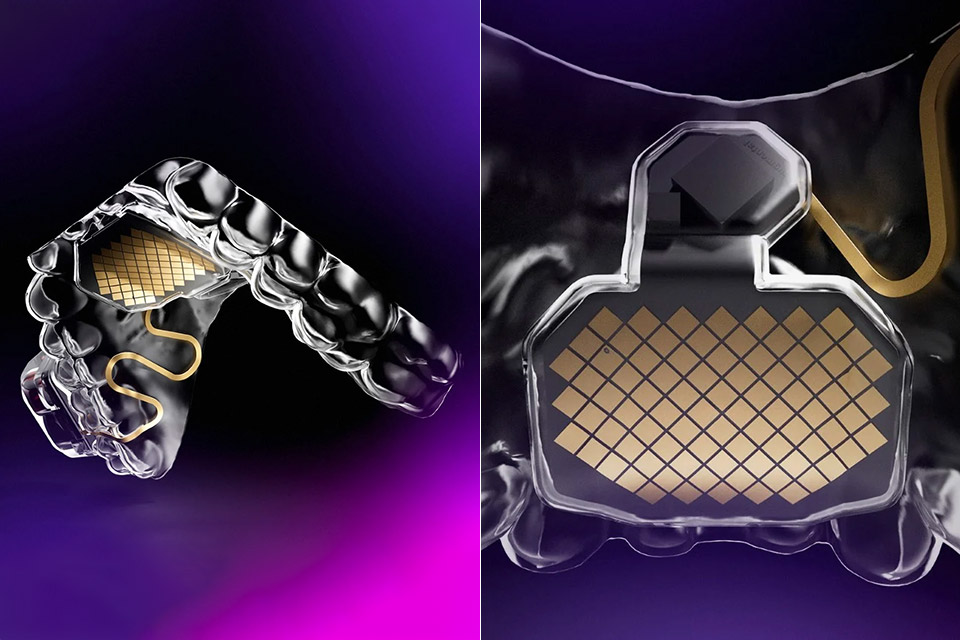
Each MouthPad^ is built from a 3D scan of the person’s own mouth, so it fits them specifically. People can also choose how they control it: sliding the tongue, using bite or clench gestures, or relying mostly on head tracking. This flexibility is a clear example of the functional solutions model at work. Augmental didn’t assume one input method would work for everyone with limited hand mobility, they built in options.
The tradeoff is cost. The device starts at $1,400, plus the cost of a required dental scan, so it isn’t something someone can just try casually. That price puts it closer to specialized medical equipment than an everyday accessibility tool.
Feature 2: Works Across All Your Devices
Because it connects over Bluetooth and works as a standard input device, the MouthPad^ moves with someone across their laptop, phone, and tablet without reinstalling anything. One user, a college student living with quadriplegia, has talked about using it to write math formulas and study in the library, tasks a lot of other assistive tools struggle with. Through the social model, this matters: instead of being stuck with one “accessible” computer while everything else stays out of reach, someone carries this one piece of hardware everywhere.
The downside is that it still takes real practice. Moving a cursor with your tongue is a skill you build over time, not something that feels natural right away.
Looking at it through the different accessibility models
The MouthPad^ sits mostly between the functional solutions and social models, with the medical model showing up in who Augmental has built it for so far.
The engineering is a functional solutions story through and through. Augmental noticed a specific gap (most hands free tools are slow and limited) and built something that uses an underused part of the body with real precision. That explains why it works so well for the people using it, but also why it hasn’t spread much further. Building each one by hand from a dental scan isn’t something that scales the way a free phone feature does.
The social model shows up in how the device travels with someone across every platform they use. But the price works against that same goal. A device meant to remove a barrier still leaves out anyone who can’t afford it, which means the barrier doesn’t disappear, it just moves.
Conclusion
The MouthPad^ shows what’s possible when someone rethinks which part of the body gets to do the work. It gives people real, precise computer control without needing their hands, a genuine leap from older hands free tools. But it also shows the limits of building something this specialized and custom. Until the cost comes down, this stays out of reach for a lot of the people who could use it.
How Could the MouthPad^ Be Improved?
- Bring the price down, or work toward insurance coverage.
- Offer a non-custom starter version so people can try the input method first.
- Make the dental scan step easier to access for people who don’t live near a location that can do it.