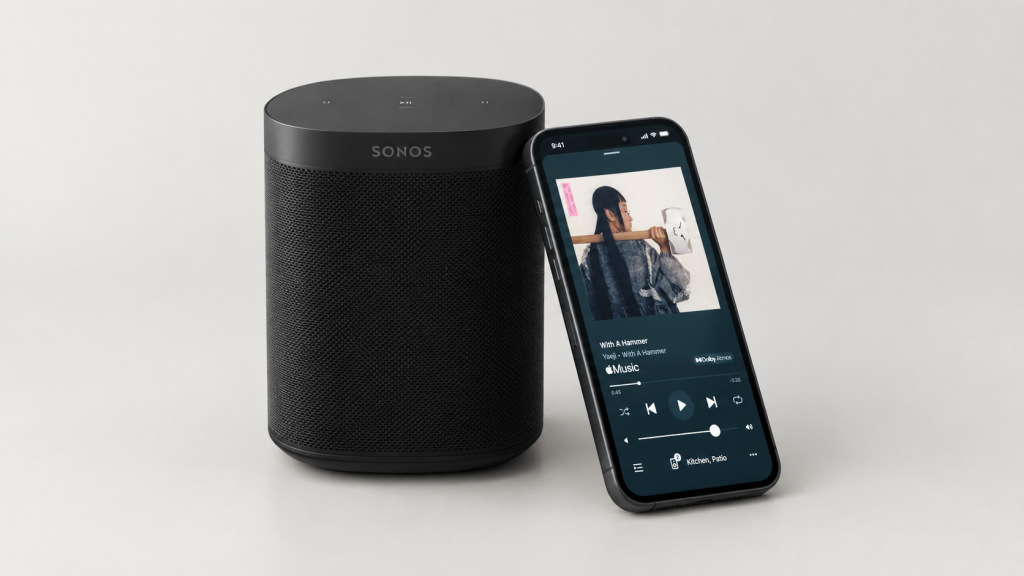
Sonos is recognized for delivering an exceptional acoustic experience and is widely used to set up multi-room streaming, and home-theater setups. The brand encourages streaming through its own portal; however, the interface fails to provide a smooth experience between the app and a user’s preferred streaming platform.
Onboarding: Natural Mapping and Discoverability
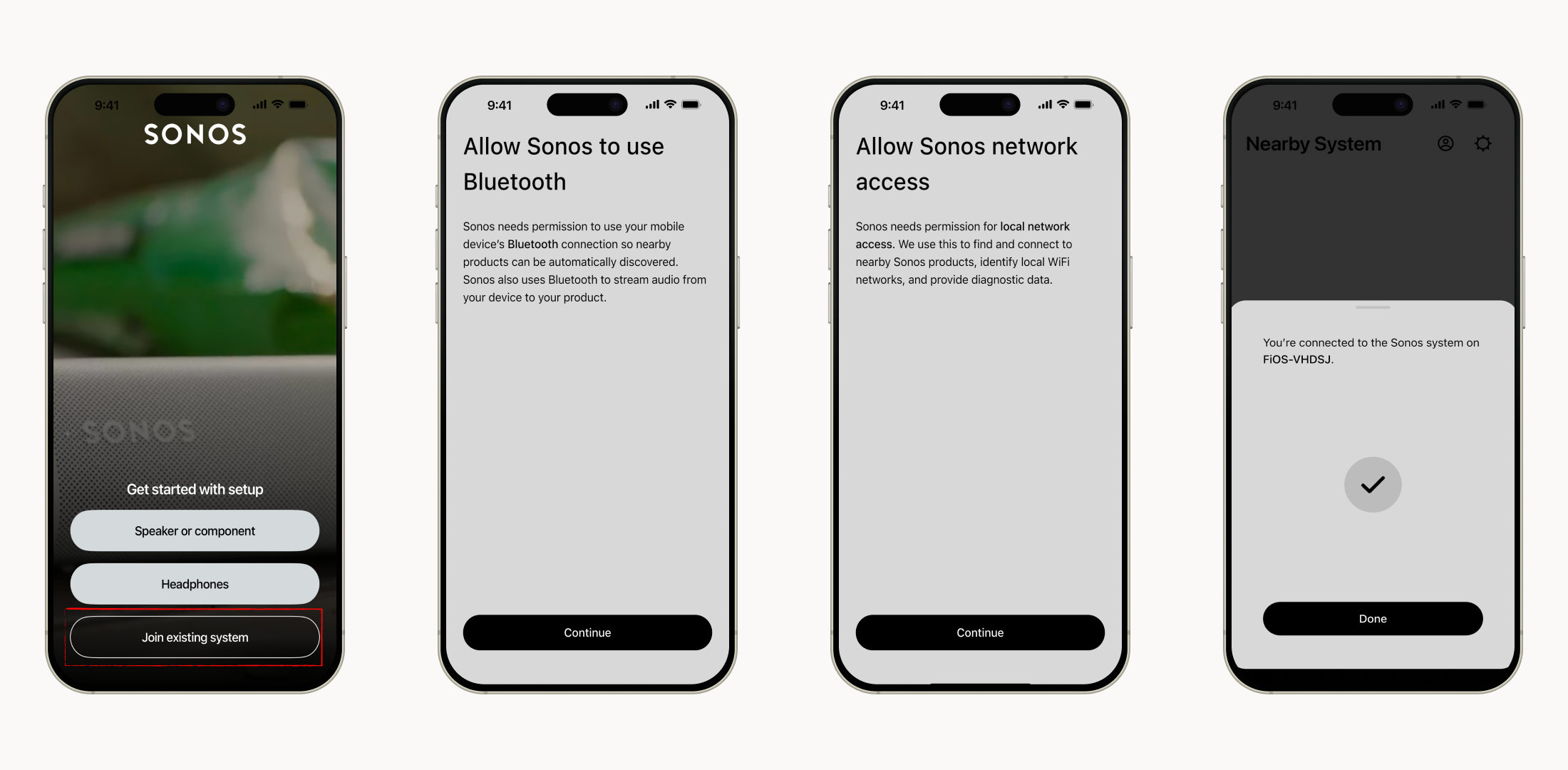
On the brighter side, the initial physical-to-digital setup utilizes excellent natural mapping. In order for a user to play a song on these speakers, they need to download the Sonos app and set up their account. I was the secondary user, as the system was set up by another member of the household. After downloading the app, what followed was intuitive. The interface presented a clear signifier labeled “Join Existing System,” a different user journey from the one a primary user would follow. From there, every following screen sought permission to access Bluetooth, location, and network. All the screens gave a clear indication of what step the user was supposed to take next, simply by showing a “Continue” button per screen. In Norman’s terms, the system had strong discoverability. It prompted clear instructions on how to customize and use the interface.
Linking to Spotify: A Gulf of Execution
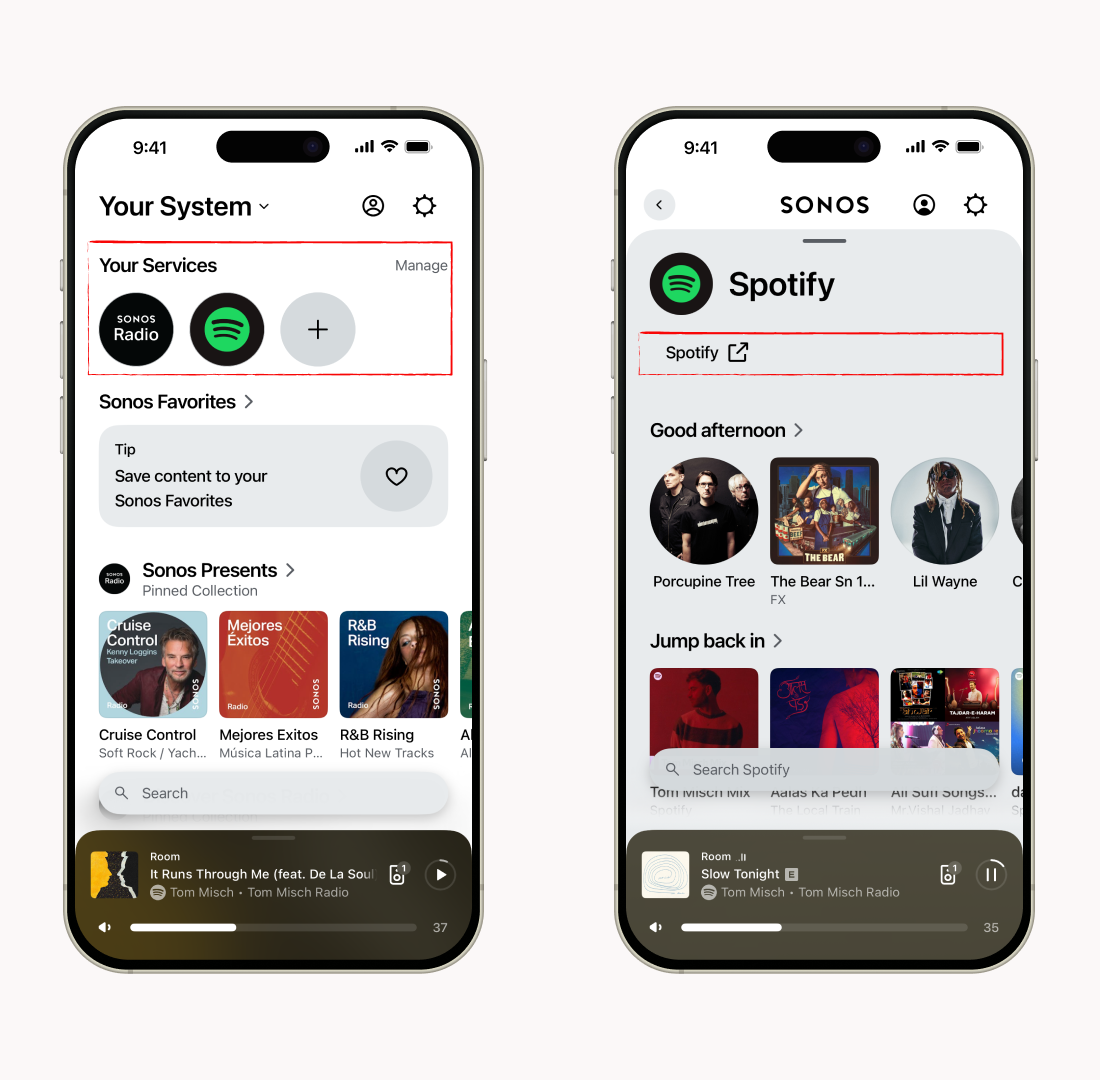
I tried to play something from “Sonos Presents” and selected the speaker I wanted to listen to, and it started playing. My preferred streaming platform is Spotify, which I could locate right away. I clicked on it, assuming it would launch Spotify; instead, I ended up looking at a Spotify wrapper inside the Sonos app, with only a small external-link symbol. I explored the wrapper looking for my Spotify library, hoping to find a particular playlist saved there, but was unable to find it. This is a clean example of a Gulf of Execution: the gap between what I meant to do (play my playlist) and what the interface actually demanded of me. My conceptual model of what tapping the Spotify icon would do led me to think it would launch Spotify directly, it didn’t.
Fix: The most efficient solution would be to link the icon directly to Spotify, as there is no real need for an internal Spotify page.
Speaker Selection: A Missing Constraint
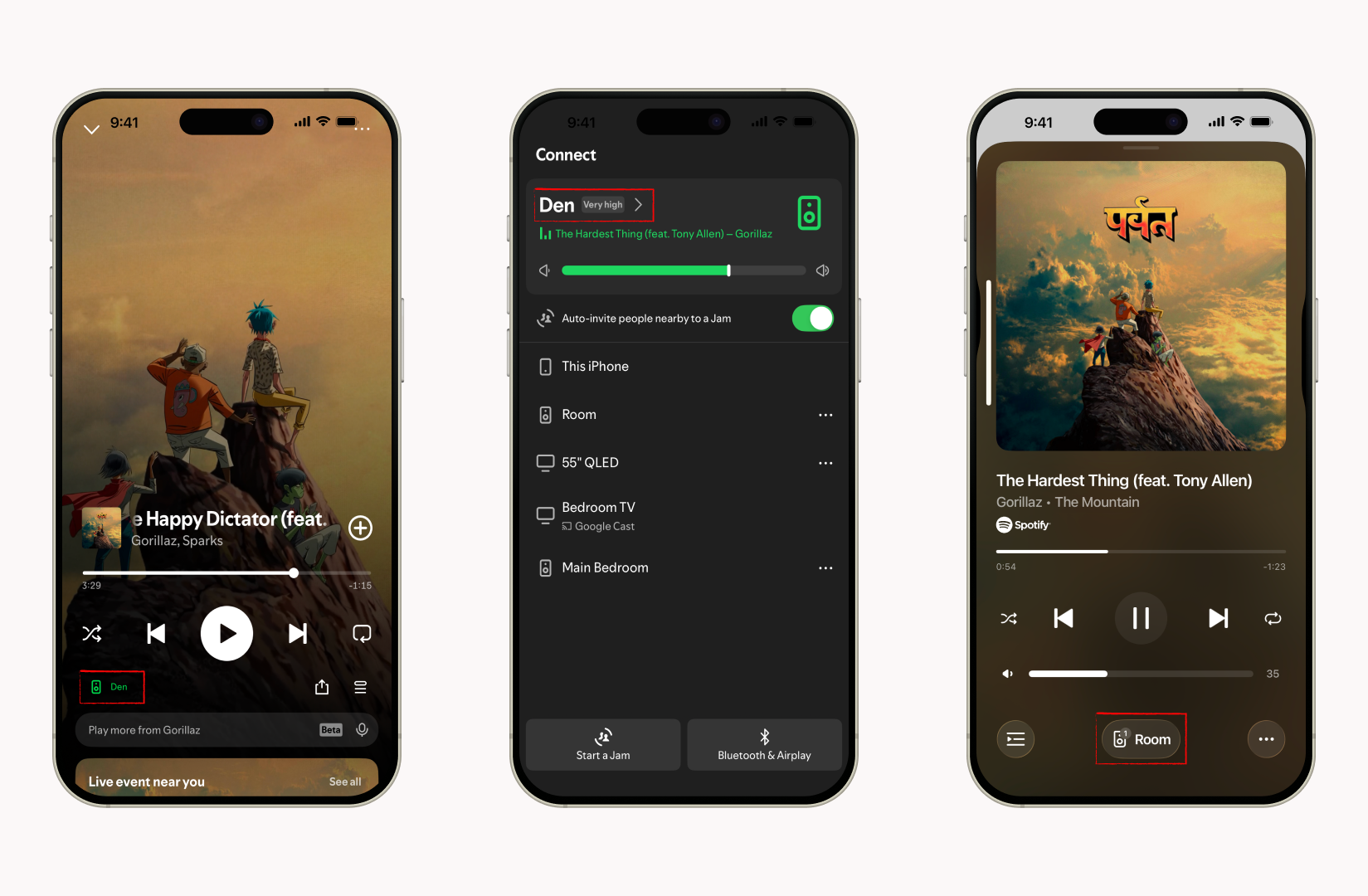
I launched Spotify and it started playing the last song I had heard on the platform on my “Den” speaker rather than “Room” Speaker. Moreover, the song that actually played was not the one I had chosen on the Sonos app. There was a glitch, and it took me five minutes to connect to the desired speaker. Norman’s concept of constraints describes the properties that should rule out unintended states before they happen. Here, no logical constraint existed to keep my manual selection in place, so the system was free to quietly override it. To be fair, on both interfaces it was easy to identify which speaker the song was being played on, providing a clear signifier.
Fix: Manual speaker selection should be locked across platforms until the user chooses to stream on a different system.
Volume Control: A Gulf of Evaluation
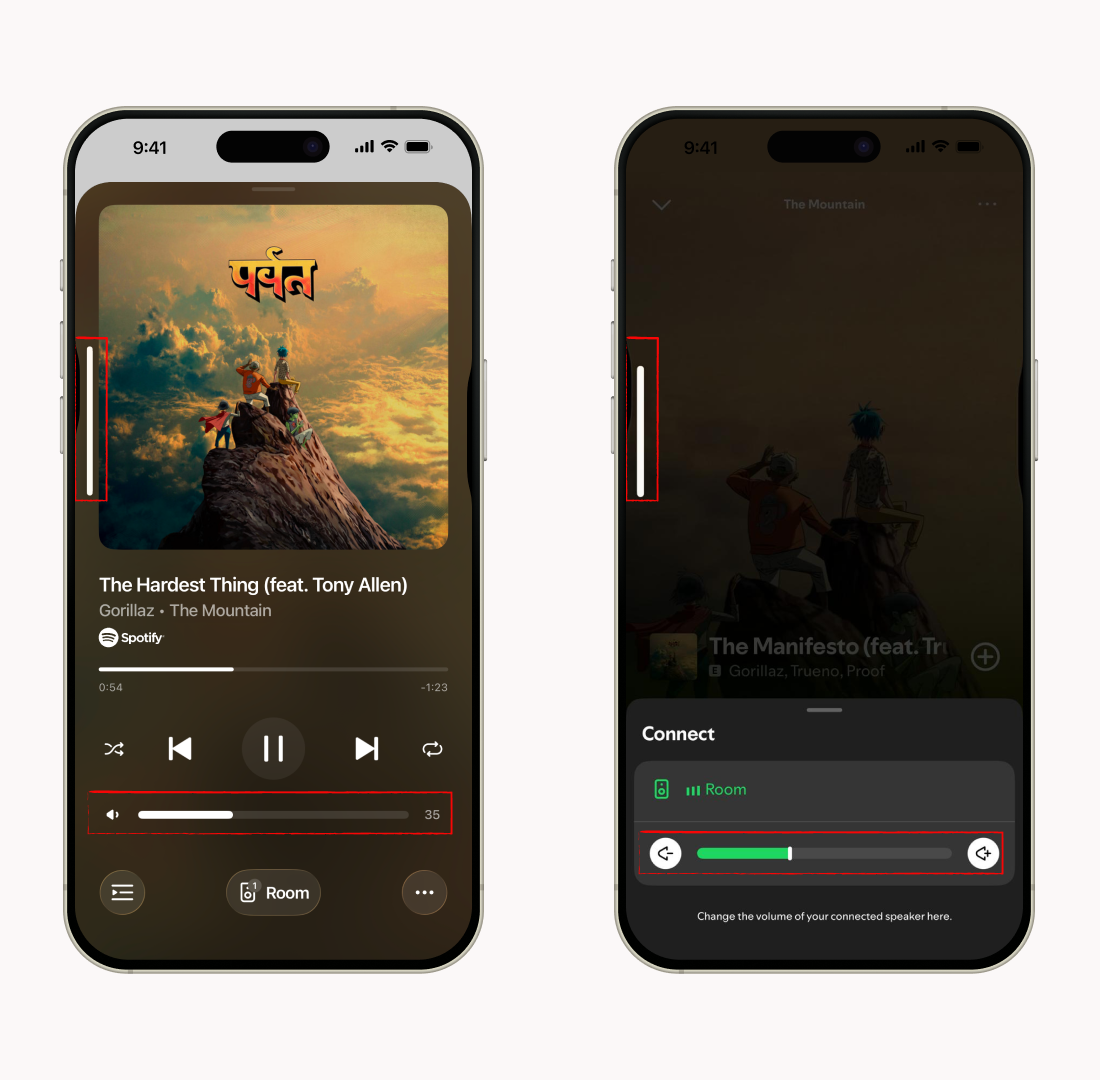
As the music started playing, I hit the volume button to adjust it. I could see two different volume indicators. I pushed the volume button to its highest setting but the volume did not change. I went back to the Sonos app and tried the same thing, and it did not work either. I had to click on the controller and adjust the volume slider manually to get the level I wanted. That’s a Gulf of Evaluation: the system displayed two contradictory pieces of feedback about a single action. Norman clearly states that feedback has to be immediate and unambiguous, or it stops being feedback and starts being noise.
Fix: The volume control should be integrated into the app so that both displays indicate the same information.
Conclusion
I wish the overall experience were as smooth as onboarding. Listening to music on a set-up home system should not be this complicated. The design succeeds in onboarding, but terribly lacks in Gulf of Execution while linking to Spotify, Gulf of Evaluation to check volume, and missing constraints for speaker selection.