Steam is a digital platform for discovering, purchasing, downloading, and managing video games that are launched by different companies. Its interface provides users with many ways to browse games, organize their library, and manage downloads. While the platform offers a wide range of features, some parts of the interface can be difficult to understand or navigate, especially for users with large game libraries.

Game Discovery
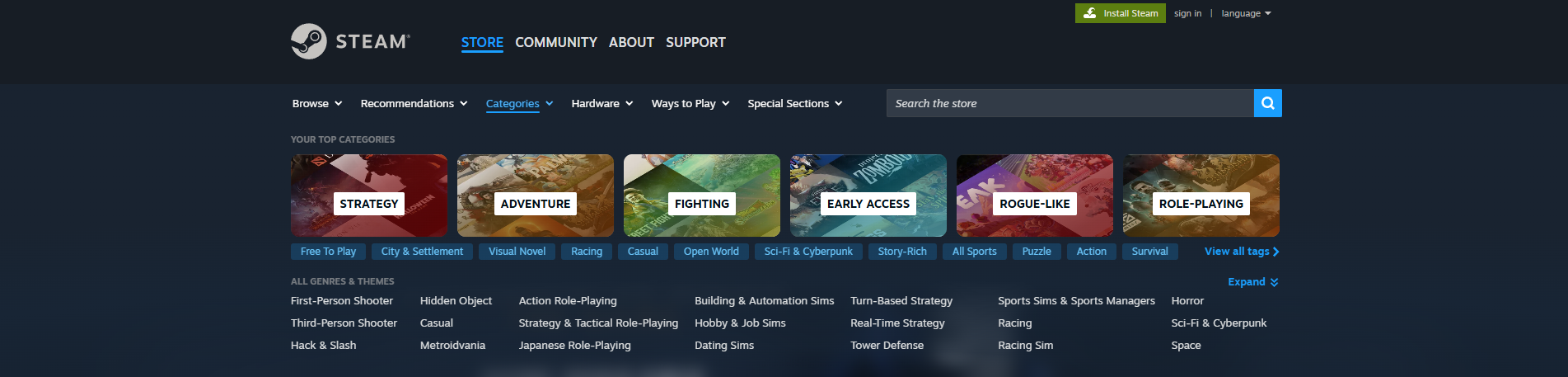
Steam provides several ways for users to discover games, including recommendations, genres, categories, and many different tags. These elements act as signifiers by showing users where they can find different types of games. The recommendation system also supports a “similiar to what you like”, users can expect to see games that are alike to ones they already own or played.
This organization creates clear mapping between the user’s goal and the available options. The headings also work as signifiers, helping users understand what each group contains before making a selection. This allows Steam to provide many options without placing them into one unorganized list.
Categories and Tags
In this same screenshot, Steam shows “My Top Categories”, followed by many smaller tags such as Free to Play, City & Settlement, Visual Novel, and more. Below that, another section lists All Genres & Themes.
The problem is not that Steam lacks organization. The problem is that several different ways of classifying games appear at the same time. A new user may need to understand the difference between a category, genre, theme, and tag before deciding where to click.
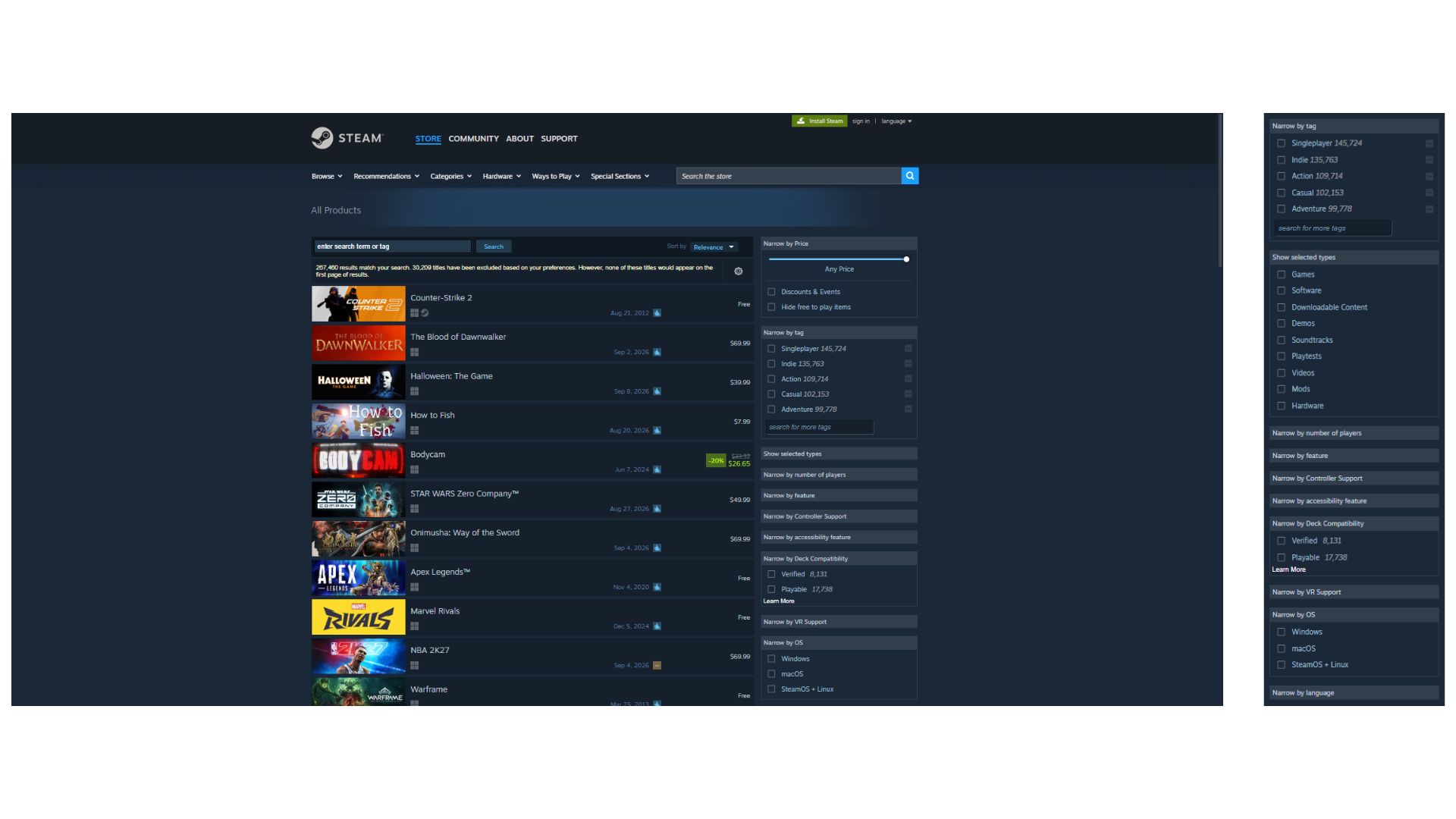
This can increase the gulf of execution. The user’s goal might be simple, like finding a strategy game! But the interface presents several possible paths for reaching that goal.
Specific fix: Although Steam will follow the agorythm of the user’s prefrence after a user use it for a longer time, but Steam could make the main categories visually dominant and place the additional tags under a clear “More Tags” option. Users who want detailed control could still access them, while the first step would be easier to understand.
Game Information on Hover
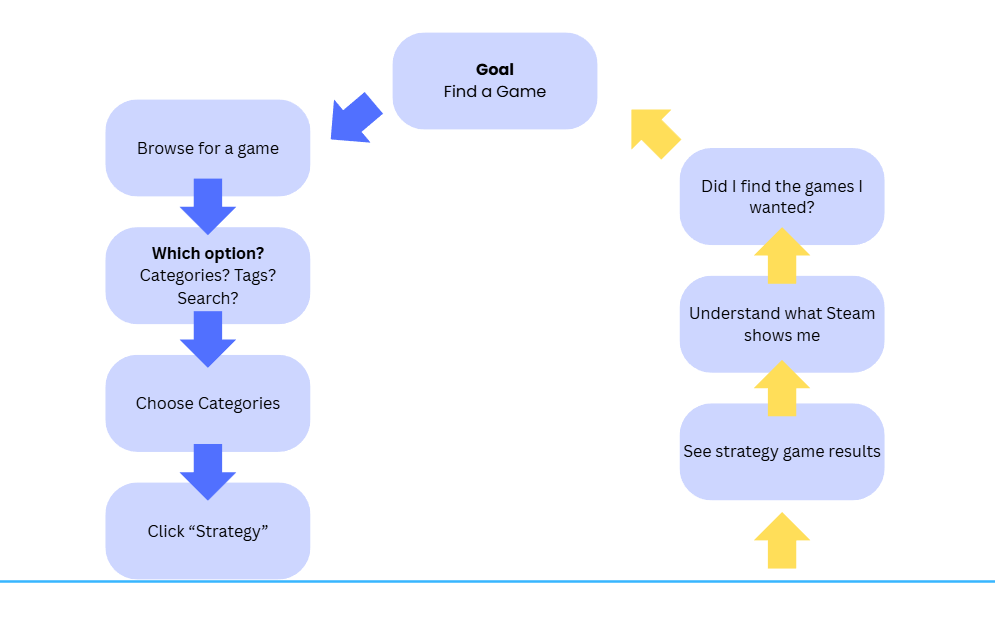
Steam provides useful information when users move their cursor over a game. A small window appears with the game’s title, release date, description, a preview video, and tags that tells more about the game. This allows users to learn about a game without leaving the current page.
This is a good example of feedback because of the interface immediately responds to the user’s action. It also supports discoverability by providing additional information when it becomes relevant. Instead of requiring users to open every game page and go back after finished, Steam allows them to quickly compare different games while browsing. This interaction reduces unnecessary actions and makes game discovery more efficient.
Advanced Search and Filters
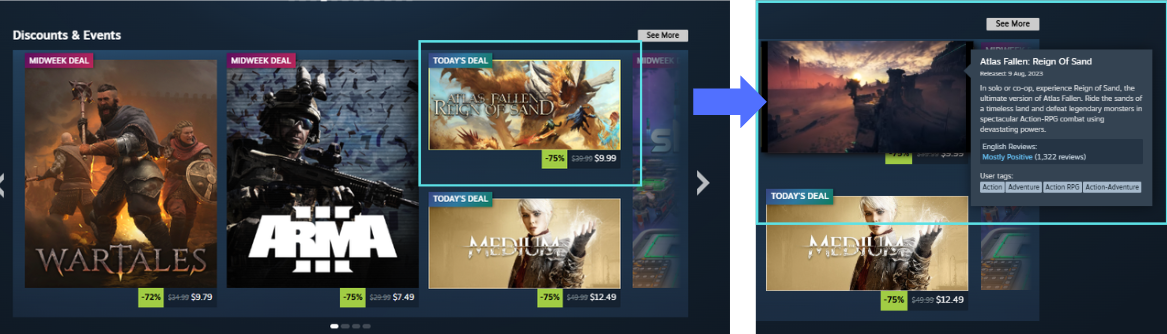
Steam’s advanced search provides many ways to narrow search results. Users can filter by price, tags, number of players, features, controller support, accessibility features, operating system, language, and other categories.
These filters are a strong example of constraints. Instead of requiring users to search through thousands of games, Steam allows them to limit the available results based on their needs. The checkboxes also work as clear signifiers because their appearance communicates that users can select or remove specific requirements.
For example, a user looking for a multiplayer game that supports Windows and controllers can combine these filters to receive more relevant results. The system gives users detailed control while keeping the interaction consistent across different filter categories.
Conclusion
Overall, Steam provides many useful tools for discovering and exploring games, but the experience is not always as clear as it could be. The design succeeds in providing strong feedback through hover information and useful constraints through advanced filters, but some areas lack clear visibility and create a larger Gulf of Execution when users are presented with too many ways to browse games.