Design Critique: Framer’s AI Agent (Mac IOS)

Introduction to Framer and its AI agent Framer is a trendy, designer-friendly website-building platform. It allows users to design and publish responsive websites without writing any code. In June 2026, it launched its AI agent with the release of Framer 3.0, aimed at providing users with real-time AI assistance while designing their websites. Upon its

Design Critique: Framer’s AI Agent (Mac IOS) Read More »

Design Critique – Day One (iPhone App)

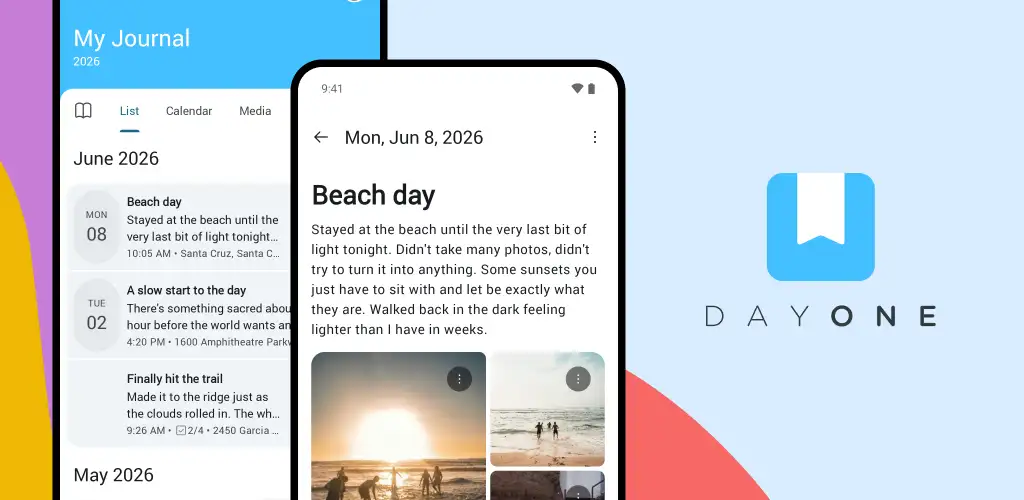
Introduction Day One is an iOS and Android-supported writing application that allows users to quickly compose, edit, retrieve, and share daily journal entries. This blog will provide a user experience overview of the newest iOS version of Day One, focusing specifically on commonly-used features within the app’s Today page, Journal Entry screen, and [historical] Journals

Design Critique – Day One (iPhone App) Read More »

Design Critique: Zotero (Desktop: MacOS)

Zotero is a free, open-source reference management application designed to help researchers collect, manage, annotate, and cite scholarly sources in a relatively easy, organized way. Researchers can capture research papers and citation metadata directly from digital libraries, publishers, and digital databases, then annotate PDFs and take notes within the app itself. The Goal The user

Design Critique: Zotero (Desktop: MacOS) Read More »

Case Study: Improving the National Gallery of Art’s Website for First-Time Visitors

The National Gallery of Art draws nearly four million visitors a year to its stretch of the National Mall in Washington, D.C. Most of those visitors are not art experts. They’re tourists, families, curious travellers passing through the capital, people who might visit once, who have a few hours, and who would really just want

Case Study: Improving the National Gallery of Art’s Website for First-Time Visitors Read More »

Redesigning Path to Make Career Transitions Feel Guided

Users understood the promise of personalization — but struggled to understand how Path was guiding them toward their goals. Through moderated usability testing and a redesign focused on onboarding, roadmap clarity, coaching trust and navigation, we reimagined Path as a more structured and confidence-building career journey. Basecamp A platform designed to guide career transitions often

Redesigning Path to Make Career Transitions Feel Guided Read More »

Improving Usability Across Onboarding, Roadmap and Career Support in Path

OVERVIEW A career-transition platform with strong vision but friction in execution. Path is a career-transition platform built to support individuals pursuing roles in software engineering, computer engineering, and related technology fields. It provides structured guidance, personalized learning roadmaps, coaching support, and job-search resources for aspiring tech professionals from students and self-taught learners to professionals switching

Improving Usability Across Onboarding, Roadmap and Career Support in Path Read More »

Improving Clarity, Trust, and Navigation Across the Path App

Overview A platform built to guide career transitions Path is a platform designed to support users’ journeys from different stages of their career transition to tech roles. It promises a personalized roadmap, structured activities, and access to career coaching, all tailored to the user’s background, goals, and job search stage. Since the product is still

Improving Clarity, Trust, and Navigation Across the Path App Read More »

From Confusion to Clarity: Reimagining OnePratt’s Homepage

Made for OnePratt: A centralized digital portal created for students, staff, and faculty members of Pratt Institute to access various academic and administrative resources. Teammates: Avani Chandorkar, Christina Lu, Anisha Vonna, Julie Vo (me) My role: Research Planning, Moderated Usability Testing, UX Design Duration: 6 weeks Context about OnePratt ℹ️️ OnePratt is Pratt Institute’s central

From Confusion to Clarity: Reimagining OnePratt’s Homepage Read More »